

Opens in a new tab
Software Training Institute in Chennai with 100% Placements – SLA Institute

Selenium Training In Chennai

4.80
(16045)
DURATION
Real-Time Location Services
1 Months
EMI
0% Interest
Mode
Rank-Based Percentile Gui Calculator using Tkinter
Live Online / Offline

Upgrade your career with the Selenium Training in Chennai at Softlogic Systems. Our Selenium Syllabus covers the Selenium WebDriver, locators, XPath, TestNG, automation frameworks, cross‑browser testing, and integration with tools like Maven, Jenkins, and Git. Our Selenium course in Chennai comes with placement support, flexible schedules, real-time projects, and certification to help you successfully launch your career. Our placement team connects you with top IT companies for a smooth career transition.

Enroll Now
Download Syllabus
0%

AI Powered Syllabus

0+

Realtime Projects

0+

Students Placed in Sept

0+

Certificates

Check Your Eligibilty for IT Training

Ready to start your tech career? Whether you have recently graduated and want to begin your IT career, or want to upskill for your next phase, our Eligibility Assessment Form makes the process easy to begin. For this Selenium Course In Chennai Developer Course, we will match your skills and goals to the best training structure for you. Just fill in the form below for an easy start on your course. Take your first step today!
What We'll Need From You?
Personal & Contact Details
Name and phone number for direct interview updates
Academic Background
Age category, educational qualification, and graduation year.
Technical Experience
Prior programming knowledge and relevant IT certification details.
KNOW MORE ABOUT COURSE +91 86818 84318

IT Training ELIGIBILITY TEST

Life Changing Stories

Explore Our Students' Inspiring Leap Stories!

See More Success Stories

Check our Google Reviews

3D Coverflow Carousel
Review Image
Click here to view all Reviews

Syllabus of Selenium Course In Chennai

Download Syllabus
  • Installing Java
  • Installing Eclipse
  • First Eclipse Project
  • First Java program
  • Concept of class file
  • Datatypes in Java
  • String class and functions
  • Conditional Statements
  • Loops
  • Arrays
  • Single Dimensional Arrays
  • Two Dimensional arrays
  • Practical usage of arrays in Selenium
  • Operators
  • What are Functions?
  • Function Input Parameters
  • Function Return Types
  • Object-Oriented Programming in Java
  • Local Variables
  • Global Variables
  • Static and Non-Static Variables
  • Static and Non-Static Functions
  • Creating Objects in Java
  • Meaning of static
  • Why is main method static?
  • Object and Object References
  • Call by reference and Value
  • Overloading and Overriding Functions
  • Access Modifiers – Public/Private/Default/Protected
  • Constructors
  • Interface
  • Usage of Objects in Selenium
  • Inheritance
  • Usage of Inheritance in Selenium
  • Creating Packages
  • Accessing Classes across Packages
    • Exception handing with try catch block
    • Importance of exception handling
    • Exception and Error
    • Throwable Class
    • Final and Finally
    • Throw and Throws
    • Different Types of Exceptions
    • Need of exception handling in Selenium framework
    • Creating/Opening XLS Files
    • Reading/Writing Microsoft XLS Files
    • Counting Rows and Columns
    • Filling BG/Font Colours
    • Practical Examples
    • Creating/Opening Text Files
    • Reading/Writing Text Files
    • Practical Examples
    • Connecting to Databases
    • MySQL
    • Oracle
    • SQL Server
    • Sending SQL Queries to Database
    • Process the Results
    • Practical Examples
    • What is Selenium?
    • Who developed Selenium?
    • Selenium Components
    • Installing Selenium IDE
    • Creating your First Selenium IDE script
    • How to use Locators in Selenium IDE
    • How to enhance a script using Selenium IDE
    • Creating and Running Tests
    • Creating and Running Test Suite
    • Introduction to WebDriver & Comparison with Selenium RC
    • Installing Selenium WebDriver
    • Architecture of selenium Webdriver
    • Creating your First Script in Webdriver
    • Launching AUT in FireFox
    • Launching AUT in InternetExplorer
    • Launching AUT in Chrome
    • Launching AUT in Safari
    • Inspecting properties of Elements on different Browsers
    • Installing FireBug and FirePath
    • Creating FireFox Profile
    • Browser
    • TextBox
    • ListBox
    • Links
    • Check Box
    • Radio Button
    • HTML Tables
    • Calendars
    • Action Class
    • KeyBoard Events
    • Drag & Drop Actions
    • Mouse Hover Action
    • RightClick, Double Click & Tool Tip
    • getwindowHandle()
    • getwindowHandles()
    • Switching between windows
    • Handling elements present in different windows
    • accept()
    • dismiss()
    • getText()
    • sendKeys()
    • What is iFrame?
    • Locating Frames
    • Switching between Frames
    • Handling Frames
    • Handling Ajax Components
    • What is XPath
    • When to Use XPath
    • Absolute XPath/Relative XPath
    • Specifying conditions with XPath
    • CSS Selectors
    • Customizing CSS Selector
    • ImplicitWait
    • WebDriverWait
    • FluentWait
    • PageLoadTimeout
    • Advantages of TestNG over JUnit
    • Why do we need TestNG in Selenium?
    • Installing TestNG in Eclipse
    • Creating a New TestNG Test File
    • Test annotation
    • Running the Test
    • Checking reports created by TestNG
    • Generating HTML Reports
    • Annotations used in TestNG
    • Validating Tests with Assertions
    • Creating multiple Tests
    • Prioritizing Tests
    • Parameterizing Tests with dataProvider
    • TestNG dataProvider with Excel
    • Creating and Running Test Suites with TestNG.xml
    • Parallel Test Execution with TestNG
    • Cross Browser Testing using TestNG
    • Modular Driven Framework
    • Keyword Driven Framework
    • Data Driven Framework
    • Hybrid Framework

    Objectives of Selenium Course In Chennai

    This training program provides a thorough introduction to Java basics and important concepts for Selenium automation testing.

    • Mastering Java Programming Basics: Develop a solid grasp of Java essentials required for Selenium automation testing.
    • Understanding Exception Handling: Learn how to effectively manage exceptions in Java programs.
    • Automating File Operations: Acquire the skills to automate operations on Excel and text files using Java.
    • Automating Database Operations: Learn to automate database operations using Java.
    • Exploring Selenium Components: Understand the fundamentals of Selenium components such as Selenium IDE and WebDriver.
    • Advanced Selenium Techniques: Gain proficiency in advanced Selenium techniques like handling multiple windows, alerts, frames, Ajax components, and creating customized XPath/CSS selectors.
    Click Here to Get Started

    Highlights of Selenium Course In Chennai?

    Selenium is an open-source web browser automation tool with a unified interface for writing test scripts in various programming languages like Ruby, Java, NodeJS, PHP, Perl, Python, and C#. It is widely used for web application testing, supporting cross-browser and cross-platform test execution.

    Learning Selenium offers several compelling reasons for individuals interested in web development, testing, and automation. Here are some key reasons to consider:

    • Web Testing Automation: Selenium automates web browser interactions for efficient and reliable testing.
    • Cross-Browser Compatibility: Test applications across various browsers seamlessly with Selenium’s support.
    • Language Flexibility: Choose from multiple programming languages to write Selenium test scripts.
    • Open-Source and Community Support: Benefit from a vibrant community and valuable resources.
    • Scalability and Reusability: Create reusable test scripts for different scenarios, enhancing efficiency.
    • Continuous Integration and Delivery: Integrate Selenium with CI/CD tools for automated testing during development.
    • Industry Demand and Career Opportunities: High demand for Selenium skills opens diverse career paths in testing and QA.

    Our Selenium Training in Chennai has no strict prerequisites, making it accessible to all skill levels. However, having knowledge of a programming language like Java, Python, C#, or Ruby is beneficial. Additionally, understanding HTML, CSS, Javascript, and web browsers will be advantageous for effective learning and web testing automation. Whether you’re a beginner or an experienced programmer, our training is designed to cater to all learners.

    Our Selenium Training in Chennai is suitable for:

    • Students
    • Professionals seeking a career change
    • IT professionals aiming to enhance their skills
    • Enthusiastic programmers
    • Job Seekers

    The fees for our Selenium Course in Chennai depend on the program level (basic, intermediate, or advanced) and the course format (online or in-person). On average, the Selenium Course Fees in Chennai comes around 18,000 INR for a duration of 1 month, inclusive of international certification. For the most accurate and up-to-date information on fees, course duration, and certification, please reach out to our Selenium Training Institute in Chennai directly.

    Job roles related to Selenium are primarily focused on software testing and quality assurance. Some common job roles that involve working with Selenium include:

    • Selenium Tester
    • Test Automation Engineer
    • Quality Assurance (QA) Engineer
    • Software Test Analyst
    • Performance Test Engineer

    Selenium is a powerful and widely used automation tool for web browsers, with various real-time applications. Some includes:

    • Web App Testing: Automate web app testing to verify functionalities, detect bugs, and ensure software quality.
    • Regression Testing: Automate regression tests to maintain existing functionality after code changes.
    • Data-Driven Testing: Validate app behavior using data from various sources.
    • Load Testing: Analyze app performance under heavy user loads using Selenium with load testing tools.
    • Integration Testing: Automate test execution with continuous integration tools for efficient development workflow.
    • UI Testing: Validate web app UI elements and interactions using Selenium.

    According to Ambition Box, a fresher Selenium Automation Tester with under three years of experience earns an average annual salary of ₹5.0 Lakhs. A Mid-career Selenium Automation Tester with 4-9 years of experience earns an average annual salary of ₹9.0 Lakhs, while an Experienced Selenium Automation Tester with 10-20 years of experience earns an average annual salary of ₹167.9 Lakhs.

    Boost your skills with Selenium Course In Chennai with Experts

    Our Mentors are from Top Companies like:
    • Experienced Selenium Trainers with hands-on technical proficiency and extensive knowledge in Web Testing.
    • They are highly experienced in various test automation scripts and solutions for web applications using Selenium WebDriver/IDE.
    • They are proficient in manual testing for web applications and strong understanding of defect analysis.
    • They are also highly competent in test automation strategies and seamlessly integrating them with the development process.
    • They possess in-depth knowledge and experience with software quality assurance processes.
    • They have excellent technical problem-solving skills and experience in developing, executing, and debugging test automation frameworks.
    • They have the ability to implement a test automation scheme focused on specific requirements and test objectives.
    • They are the subject matter experts in Automation using Selenium Web Driver, and TestNG and are assets to our Selenium Training in Chennai.
    • They are exceptional in developing and implementing Automation for GUI, Functionality testing, and Database Testing.
    • They hold a comprehensive understanding of the software development life cycle and test plans.
    • They have a successful track record of dramatic performance and quality improvements for broad applications.
    • They are excellent communicators with proven ability to communicate at all levels of the errors in SDLC and their solutions to students.
    • Our trainers are highly competent in helping students build their customized resumes to meet industrial requirements.
    • They are motivated towards making the students get placed by helping them with interview preparation with their expert guidance.
    Click Here to Get Started

    Explore Real Projects Built by Softlogic Students

    Explore the real-world, enterprise-level projects designed and executed by our successful alumni. Gain the same hands-on exposure to live industry projects, build a standout portfolio, and prove your practical skills to top hiring managers instantly.
    Parallel Test Execution
    Cross-Browser Testing
    Error Handling and Reporting
    Project Practices for Selenium Course In Chennai

    Why Softlogic Systems is the Best Choice for Selenium Course In Chennai

    Crowdfunding Platform
    Online & Offline Training Options
    Learn at your convenience with flexible classroom and live online training.
    Learn from 100+ Real-Time Developers
    Get trained by industry professionals with years of hands-on experience.
    Voting System with Python Django
    Hands-on Projects & Codeathons
    Practice with real-time projects and coding challenges to build confidence.
    0% EMI Fee Options
    Pay your course fees flexibly with easy EMI plans at zero interest.
    Resume & Interview Support
    Get expert help with resume building, mock interviews, and soft skills.
    Placement with Top IT Firms
    Access placement opportunities with leading MNCs and IT companies.
    500+ Hiring Partners
    Benefit from Softlogic’s strong recruiter network for faster job placement.
    No Backdoor Jobs
    We ensure only genuine placement opportunities with trusted companies.
    Request a Free Callback

    Certifications

    Earn Your Certificate of Completion
    Validate your achievements with Softlogic's Certificate of Completion, verifying successful fulfillment of all essential components.
    Take Your Career to the Next Level with  Certifications
    Get a certifications through our training programs to gain a competitive edge in the industry.
    Stand Out from the Crowd with Codethon Certificate
    Verify the authenticity of your real-time projects with Softlogic's Codethon certificate.

    The Global Edge: Certified Vs. Uncertified

    With Global Certification

    • ✅ Visibility in ATS Filters
    • ✅Command Higher Hikes
    • ✅ Verified Skill Proof
    • ✅Global Job Access
    • ✅ Fast-Tracked Senior Roles

    Without Global Certification

    • ❌ Stuck in Screening
    • ❌ Lower Starting Pay
    • ❌ Unproven Technical Ability
    • ❌ Limited Local Scope
    • ❌ Slower Career Leader
    •  
    Let's take the First Step to a better future! GET Free Career Guidance
    The SLA Way to Get Placed

    The SLA Way to Get Placed

    Seven connected stages, one continuous path from enrollment to your career launch — here is exactly how it works, step by step.

    01
    🎓

    Technical Mastery

    Industry-aligned curriculum, daily coding tasks, real-time projects

    02
    💻

    Career Readiness

    Aptitude, Communication, ATS-friendly resume optimization

    03
    🎯

    Placement Prep

    Aptitude, communication tuning and technical interview mastery.

    04
    💬

    Panel Mock Interviews

    Real company-pattern mocks with expert panel feedback.

    05
    👨‍💼

    Interview schedule

    Multiple company drives with lifetime placement support.

    06
    📝

    Interview Feedback

    Detailed performance analysis and one-on-one guidance.

    07
    🏆

    Launch Your Career

    Land your first job with lifetime alumni and career support.

    Listen to Our Students' Video Testimonials

    FAQ

    Softlogic offers a variety of training modes that cater to the needs of students, including:

    • Classroom training
    • One-to-One training
    • Live instructor-led online training
    • Customized training options
    • Corporate Training

    Selenium can be used to test web applications for functionality, usability, compatibility, and performance. It can also be used to automate repetitive tasks on a website.

    The objectives of Softlogic Systems’ Selenium courses are to help students understand and be proficient in the Selenium platform, including its components and features. Students will also gain a greater understanding of automation testing and best practices.

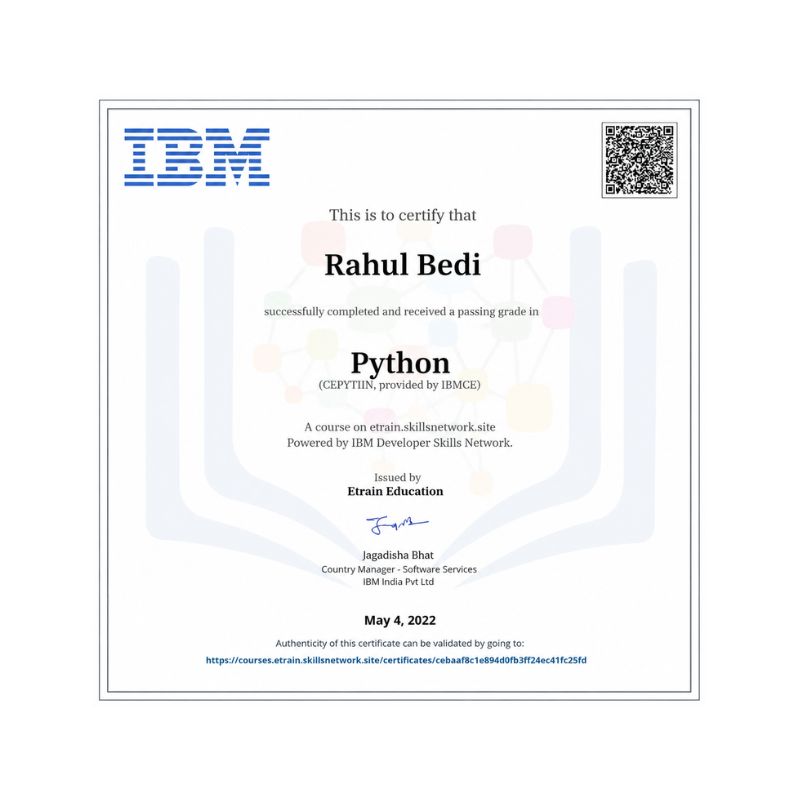
    Upon completion of Softlogic’s training, you will be awarded with globally recognized course completion certificates from Softlogic, renowned IBM certificates, and Codeathon certificates, validating your real-time project experience.

    Yes, Softlogic Systems provides its students with placement assistance after completing a Selenium course. The placement assistance includes interview preparation and training, resume building, job search assistance, and more.

    Yes, Softlogic Systems provides online courses for Selenium. The online courses allow students to learn and work from any location.

    Selenium is an open-source tool and free to use. It supports multiple programming languages which can be used to develop tests with simple and reusable code. It also supports multiple browsers which make it easy to perform cross-browser testing.

    The benefits of taking the Selenium course offered by Softlogic Systems include gaining a comprehensive understanding of Selenium tools, gaining hands-on experience with Selenium, learning how to create and run automated tests and practice with frameworks.

    Selenium supports multiple programming languages including Java, Python, Ruby, and JavaScript.

    Tests that can be automated using Selenium include functional tests, usability tests, cross-browser testing, and performance tests.

    Related Blogs

    Our counselors will share the Syllabus PDF with you via Email / Whatsapp

    Get Your Instant Job & Placement Eligibility
    Report in Just 30 Seconds!

    We are excited to get started with you

    Give us your information and we will arange for a free call (at your convenience) with one of our counsellors. You can get all your queries answered before deciding to join SLA and move your career forward.




























