
Softlogic is one of the Top Training institutes for Advanced Excel. Learn how to use Advanced Excel, from beginner basics to advanced techniques. Our Advanced Excel Syllabus Covers the advanced formulas and functions, dynamic dashboards, data visualization techniques, PivotTables, Power Query, Power Pivot, and VBA macros. We offer an Advanced Excel Course with Placement Assistance, Mock interviews, Resume building, and certification.
Advanced Excel Certification Course
4.90
(1987)
DURATION

1 Months
EMI

0% Interest
Mode

Live Online / Offline

Let's take the first step to becoming an expert in Advanced Excel Certification Training
Click Here to Get Started
Lifelong Placement
Assistance
Get Certified
JOB PLACEMENT ELIGIBILITY TEST
×
Your Placement Eligibility Report
Want more details about Advanced Excel Certification Training?
Fill out the form, and our counsellors will get in touch with you at your preferred time. You can have all your queries answered. Once you decide that SLA is the perfect fit for your training needs, our counselors will guide you through the process every step of the way.

Course Schedules

Course Syllabus

Course Fees

or any other questions...
Fees, Duration & Batch Timings for Advanced Excel Certification Training
Hands On Training
3-5 Real Time Projects
60-100 Practical Assignments
3+ Assessments / Mock Interviews
July 2026
Week days
(Mon-Fri)
Online/Offline
2 Hours Real Time Interactive Technical Training
1 Hour Aptitude
1 Hour Communication & Soft Skills
(Suitable for Fresh Jobseekers / Non IT to IT transition)
Course Fee
July 2026
Week ends
(Sat-Sun)
Online/Offline
4 Hours Real Time Interactive Technical Training
(Suitable for working IT Professionals)
Course Fee
Save up to 20% in your Course Fee on our Job Seeker Course Series
Learn More
Syllabus of Advanced Excel Certification Training
Download Syllabus
Excel 2007 & 2010, 2013, 2016 Quick Overview
- Difference between Excel 2003, 2007 and 2010,2013,2016
- Use of Excel, its boundaries & features
Basic Formula
- Formulae that Add/Subtract/Multiply/Divide
- BODMAS/Formula Error Checking
- The Sum Function
Absolute Referencing
- Problems with Absolute/Relative Cell Referencing
- Creating Absolute/Mixed References
LOOKUP Functions
- The VLOOKUP/HLOOKUP Functions
PivotTables
- Creating, Formatting Simple PivotTables
- Page Field in a PivotTable
- Formatting a PivotTable
- Creating/Modifying a PivotChart
Logical Functions
- IFs and Nested IF Functions
- Using AND/OR/NOT Functions
Statistical Functions
- Using The SUMIF/COUNTIF Functions
- Using The AVERAGE/COUNT/LARGER/SMALLER Functions
Pivot Tables – Advance
- Adding new calculated Fields / Items
- Changing the Summary Function
- Consolidate Pivot table
LOOKUP Functions – Advance
- MATCH with VLOOKUP Functions
- INDEX & MATCH Functions
- OFFSET/ INDIRECT functions
Logical Functions – Advance
- If Loop and Nested IF Loop Functions
- Using IF/ISERROR Functions
Chart Data Techniques
- The Chart Wizard
- Chart Types
- Adding Title / Legends / Lables
- Printing Charts
- Adding Data to a Chart
- Formatting/Renaming/Deleting Data Series
- Changing the Order of Data Series
Date/Time Functions
- Using The Today
- Now & Date Functions
- Using The Datedif / Networkdays / Eomonth Functions
- Using The Weeknum Functions
- Using The Edate / Networkdays. Intl / Weekdays.Intl Functions
Text Functions Using
- The Mid/ Search/ Left/ Right Functions
- Using The Trim/ Clean/ Upper/ Lower Functions
- Using The Subsitute/ Text Functions
- Using The Trim/ Clean/ Proper/ Dollar Function
Validations
- Input Messages / Error Alerts/ Drop-Down Lists
- Conditional Formatting
Advanced Filters
- Extracting Records with Advanced Filter
- Using Formulas In Criteria
Advanced Sorting
- Sorting by Top to Bottom / Left to Right
- Creating / Deleting Custom List
- Sort by using Custom List
Hyper / Data Linking
- Hyper linking data, within sheet / workbook
- Linking & Updating links between workbooks & application
Math & Trigonometry Functions
- Using SUMPRODUCT Functions
- Using FLOOR/ CEILING/ MROUND/ MOD/ QUOTIENT Functions
Summarizing Data
- Creating Subtotals/Nested Subtotals
- SUBTOTALS Formula
Outlining
- Creating/Working with an Automatic/Manual Outline
- Grouping / Ungrouping
Objectives of Advanced Excel Certification Training
The objectives of learning Advanced Excel Training include
- Master Complex Formulas: Learn how to use advanced formulas to analyze and manipulate data.
- Improve Data Analysis: Gain skills in analyzing data with tools like pivot tables and charts.
- Enhance Data Visualization: Learn to create advanced charts for better data presentation.
- Automate with Macros: Discover how to automate tasks using Excel macros to save time.
- Boost Productivity: Learn techniques to work more efficiently with large datasets.
- Create Professional Reports: Develop the ability to make detailed and polished reports.
- Ensure Data Accuracy: Understand how to validate and clean data for accuracy.
Request a Free Callback
Why Softlogic Systems is the Best Choice for Advanced Excel Certification Training – Learn, Practice, and Get Placed!

Online & Offline Training Options
Learn at your convenience with flexible classroom and live online training.

Learn from 100+ Real-Time Developers
Get trained by industry professionals with years of hands-on experience.

Hands-on Projects & Codeathons
Practice with real-time projects and coding challenges to build confidence.
0% EMI Fee Options
Pay your course fees flexibly with easy EMI plans at zero interest.

Resume & Interview Support
Get expert help with resume building, mock interviews, and soft skills.

Placement with Top IT Firms
Access placement opportunities with leading MNCs and IT companies.

1000+ Hiring Partners
Benefit from Softlogic’s strong recruiter network for faster job placement.

No Backdoor Jobs
We ensure only genuine placement opportunities with trusted companies.
Request a Free Callback
Highlights of Advanced Excel Certification Training
What is Advanced Excel?
Advanced Excel involves using complex features in Microsoft Excel, like pivot tables, advanced formulas, and macros. These tools help you manage, analyze, and present data more effectively and efficiently.
What are the reasons for learning Advanced Excel?
Learning Advanced Excel has several benefits:
- Enhances Data Analysis: Allows you to perform detailed and complex data analysis.
- Improves Efficiency: Helps automate repetitive tasks, saving time and effort.
- Boosts Productivity: Enables you to handle large datasets and improve workflow.
- Enables Better Reporting: Assists in creating professional and comprehensive reports.
- Strengthens Data Visualization: Offers advanced charting and visualization options for clearer data presentation.
- Ensures Accuracy: Provides tools for data validation and error checking.
What are the prerequisites for learning Advanced Excel?
There are no mandatory prerequisites for learning Advanced Excel. Basic knowledge of Microsoft Excel and familiarity with fundamental functions and features will be helpful, but you can start the course without any specific prior experience.
Our Advanced Excel Training is suitable for:
- Students
- Professionals seeking a career change
- IT professionals aiming to enhance their skills
- Enthusiastic programmers
- Job Seekers
What are the course fees and duration?
Our Advanced Excel Training fees start at ₹18,000 and can vary depending on the course level and format. This price covers 1 month of training and international certification. For the most current fee details and updates, please contact our leading Advanced Excel Online Training Institute. We’re here to help you find the best training option.
What are some job roles related to Advanced Excel?
Some job roles related to Advanced Excel include:
- Data Analyst: Uses Excel to analyze and interpret complex data sets.
- Financial Analyst: Creates detailed financial models and reports.
- Business Analyst: Analyzes business data to make informed decisions.
- Accountant: Manages financial records and performs data entry tasks.
- Marketing Analyst: Analyzes marketing data to support strategies and campaigns.
- Operations Manager: Uses Excel for inventory management and process optimization.
What is the salary range for Advanced Excel Engineer?
Fresh Data Analysts with less than three years of experience typically earn around ₹4.9 Lakhs per year. Those with 4-9 years of experience make about ₹7.7 Lakhs per year. Experienced Data Analysts with 10-20 years of experience earn around ₹10.3 Lakhs per year.
List a few Advanced Excel real-time applications.
Here are a few real-time applications made with Advanced Excel:
- Financial Modeling: Creating detailed financial forecasts and budgeting reports.
- Sales Tracking: Monitoring and analyzing sales performance and trends.
- Data Analysis: Analyzing large data sets using pivot tables and advanced formulas.
- Project Management: Tracking project timelines, costs, and resources.
- Inventory Management: Managing and analyzing inventory levels and stock movements.
- Reporting: Generating complex reports and dashboards for business insights.
- Data Visualization: Creating charts and graphs to visually represent data.
Boost Your Skills with Our Advanced Excel Certification Training Experts
Our Mentors are from Top Companies like:
- Our trainers bring years of experience using Excel in various industries, ensuring they provide practical, real-world insights and knowledge.
- They hold advanced certifications in Microsoft Excel, demonstrating their expertise and commitment to maintaining high training standards.
- With hands-on experience in real-world Excel applications, our trainers can offer practical solutions and advice based on industry practices.
- They are skilled in breaking down complex Excel concepts into simple, understandable lessons, making learning accessible for everyone.
- Trainers excel at solving Excel-related issues and offering practical solutions, helping students tackle real-world challenges effectively.
- They customize the training content to fit individual learning needs and skill levels, ensuring a personalized and relevant learning experience.
- Using interactive methods and real-life scenarios, trainers make learning engaging and practical, enhancing students’ grasp of Advanced Excel features.
- Our trainers stay updated with the latest Excel features and trends, ensuring that students learn current and relevant techniques.
- They offer continuous support and guidance throughout the course, helping students with any questions or challenges they might encounter.
- By sharing insights from their own practical experiences, our trainers add valuable context and real-world applications to the training.
Request a Free Callback
What Modes of Training are available for Advanced Excel Certification Training?
Offline / Classroom Training

A Personalized Learning Experience with Direct Trainer Engagement!
- Direct Interaction with the Trainer
- Clarify doubts then and there
- Airconditioned Premium Classrooms and Lab with all amenities
- Codeathon Practices
- Direct Aptitude Training
- Live Interview Skills Training
- Direct Panel Mock Interviews
- Campus Drives
- 100% Placement Support
Online Training

Instructor Led Live Training! Learn at the comfort of your home
- No Recorded Sessions
- Live Virtual Interaction with the Trainer
- Clarify doubts then and there virtually
- Live Virtual Interview Skills Training
- Live Virtual Aptitude Training
- Online Panel Mock Interviews
- 100% Placement Support
Corporate Training

Blended Delivery model (both Online and Offline as per Clients’ requirement)
- Industry endorsed Skilled Faculties
- Flexible Pricing Options
- Customized Syllabus
- 12X6 Assistance and Support
GET Free Consultation
Certifications
Take your career to new heights with Softlogic's software training certifications.
Improve your abilities to get access to rewarding possibilities
Improve your abilities to get access to rewarding possibilities

Earn Your Certificate of Completion
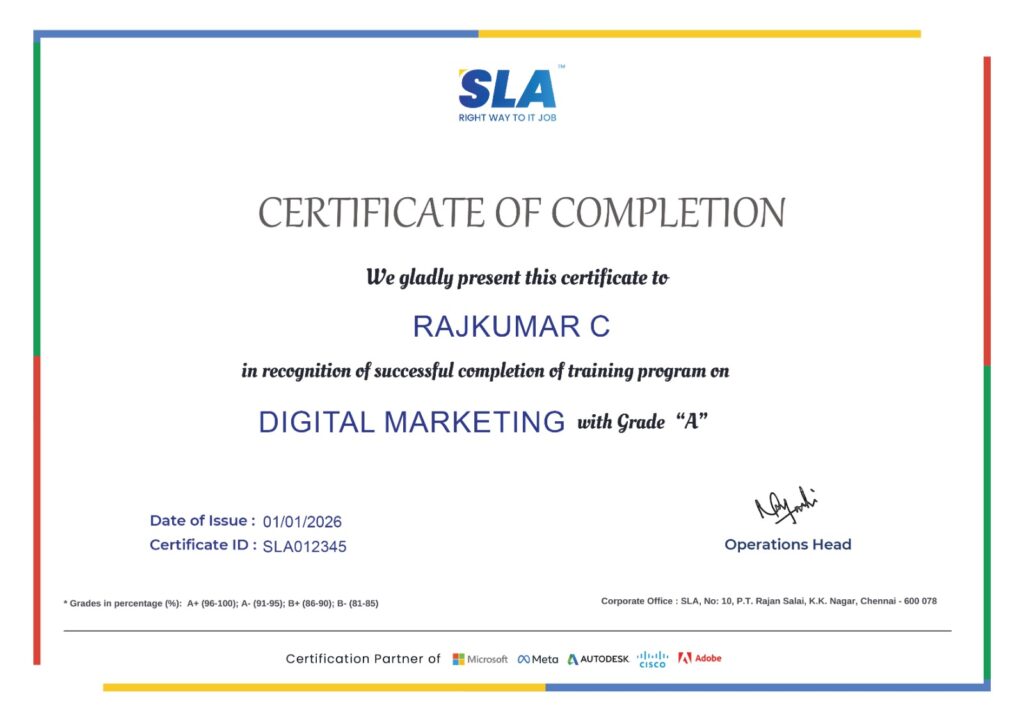
Validate your achievements with Softlogic's Certificate of Completion, verifying successful fulfillment of all essential components.
Take Your Career to the Next Level with Certifications
Get a certifications through our training programs to gain a competitive edge in the industry.

Stand Out from the Crowd with Codethon Certificate
Verify the authenticity of your real-time projects with Softlogic's Codethon certificate.

Hands-on Project Practices in Advanced Excel Certification Training
Scenario Analysis
Data Cleaning and Transformation
Project Management
Customer Segmentation
Inventory Management
Automated Reporting
Data Visualization
Financial Modeling
Sales Data Analysis
The SLA Way to Get Placed in Top IT Companies
Enrollment

Technology Training
Coding Practices
Realtime Projects
Realtime Projects
Placement Training
Aptitude Training
Interview Skills
Interview Skills
Panel Mock
Interview

Unlimited
Interviews

Interview
Feedback

100%
IT Career
Placement Support for a Advanced Excel Certification Training Job
Genuine Placements. No Backdoor Jobs at Softlogic Systems.

Aptitude Training
from Day 1
Interview Skills
from Day 1

Softskills Training
from Day 1
Build Your Resume

Build your LinkedIn Profile

Build your GitHub
digital portfolio

Panel Mock Interview
Unlimited Interviews until you get placed

Life Long Placement Support at no cost
Request a Free Callback
FAQs
Is Advance Excel a good career?
Yes, Advanced Excel is a useful skill that can lead to many career opportunities. It’s important for jobs in data analysis, finance, and business intelligence, making it a good career option for those interested in working with data.
Is Advanced Excel easy to learn?
Advanced Excel can be easy to learn if you already have a basic understanding of Excel. With practice, you can master features like pivot tables, advanced formulas, and data visualization. Learning it step-by-step and using practical examples can make the process smoother.
Can a fresher learn Advanced Excel?
Yes, a fresher can learn Advanced Excel. Begin with basic Excel skills and gradually move on to more advanced features like formulas and pivot tables. Many courses are designed for beginners to help them build their skills step by step.
Is Advanced Excel better in demand?
Yes, Advanced Excel skills are in high demand. Many jobs require expertise in advanced features for tasks like data analysis, financial modeling, and reporting. Having strong Advanced Excel skills can improve job prospects and career opportunities.
Can I still join job placement events if I already have a job offer?
Definitely! We offer ongoing placement assistance to help candidates achieve their career goals. Contact our career advisor to arrange a free demo for the leading Advanced Excel online course, featuring placement support.
Does SLA support the EMI option?
Yes, SLA does indeed give the option of EMI to students with 0% interest.
How does the placement team at SLA support us?
The placement team at SLA enhances your job prospects by providing comprehensive support. Whether you’re a certified student looking to switch careers or entering the workforce for the first time, you’ll receive extensive assistance through our placement services. SLA offers the following premium services as part of our placement support:
- Resume building
- Career guidance and advising
- Interview practice sessions
- Career expos
What accreditation will I get once the course is completed?
Upon completion of SLA’s training, you will be awarded with globally recognized course completion certificates from SLA, renowned IBM certificates, and Codeathon certificates, validating your real-time project experience.
What are the different payment options available?
We accept all sort of major payment methods like cash, credit cards (Visa, Maestro, Master card), Netbanking, etc
I have more queries?
Please contact our course counselor by call or Whatsapp at +91 86818 84318. As an alternative, you can use our Website chat, Website form, or email us at enquiry@softlogicsys.in
Additional Information for
the Advanced Excel Certification Training
Future Trends in Advanced Excel
Advanced Excel skills are becoming more important as businesses use data to make decisions. There’s a growing need for people who can analyze complex data, create detailed financial models, and produce reports. As companies look for better ways to handle large amounts of data, being skilled in Advanced Excel is increasingly valuable.
Career Opportunities
Learning Advanced Excel can lead to many job opportunities. Jobs like Data Analyst, Financial Analyst, and Business Intelligence Specialist often require these skills. Many companies across different industries need professionals who can use Excel’s advanced features to understand data, support decisions, and improve efficiency.
Integration with New Technologies
Advanced Excel is often used with new technologies like data visualization tools and automated reporting systems. Knowing how Excel works with tools like Power BI or VBA can boost your skills. Keeping up with these updates helps you stay competitive in the job market.
Related Blogs
How to Calculate Percentage in Excel
Published On: April 9, 2026
Introduction Calculating percentages is an essential skill to master in Excel, especially if you want…
Microsoft Excel Challenges and Solutions
Published On: October 18, 2024
Introduction To efficiently explore, calculate, and record data in Excel, you need to know some…
Advanced Excel Salary for Freshers and Experienced
Published On: September 10, 2024
Introduction In today's data-driven business decisions, Advanced Excel skills will no longer just enhance a…
Excel Project Ideas
Published On: September 5, 2024
Introduction Excel is one of the most powerful and user-friendly tools for data management, analysis,…
Top 16 Advanced Excel Interview Questions and Answers
Published On: January 12, 2024
Introduction It is a known fact that every organization in the world uses Excel as…



Google Reviews

Rating
4.8
1,053 Google reviews

Surya
Special thanks to Vishal Sir, the Placement Officer, for his interview guidance, resume support, and continuous motivation throughout the placement process. I would also like…

Click here for Full Review

NalluKumar Ravichandran
Hi, I recently completed the DOT NET Full Stack Development course at SLA, and I had a great learning experience. The teaching style and student…
Click here for Full Review

Shaaru Menan
I had a 3 year career break. Joined SLA on Java Full Stack course and completed it.Did projects with the help of my Mentor. They…
Click here for Full Review

Nithish Sahoo
I had an excellent experience taking this DevOps course. The curriculum is well-structured and covers both fundamental and advanced DevOps concepts in a clear manner.…
Click here for Full Review

MATHAN KUMAR G EEE
SLA Institute provides a structured learning environment for data analytics. The syllabus is relevant, and trainers are knowledgeable. Some sessions were very useful practically, while…
Click here for Full Review

SARAN M
SLA Institute provides training in communication and aptitude along with strong technical skills. The trainers explain concepts clearly with a practical approach, which helps build…
Click here for Full Review