Join Our 100% Job-Guaranteed MCSE Course in OMR. We Provide Quality MCSE training with an affordable Cost in OMR. Our MCSE Syllabus Covers Windows Server administration, networking, Active Directory, virtualization, cloud integration, and enterprise-level system management. At Softlogic Systems, you’ll earn globally recognized certifications, build real-time projects, and receive complete placement assistance to launch a successful career in your chosen field.
MCSE Training In Omr
DURATION
3 Months
EMI
0% Interest
Mode
Live Online / Offline
Let's take the first step to becoming an expert in MCSE
100% Placement
Assurance
Get Certified
JOB PLACEMENT ELIGIBILITY TEST
Your Placement Eligibility Report
Want more details about MCSE Course?
Course Schedules
Course Syllabus
Course Fees
or any other questions...
Fees, Duration & Batch Timings for MCSE Course
Hands On Training
3-5 Real Time Projects
60-100 Practical Assignments
3+ Assessments / Mock Interviews
June 2026
Week days
(Mon-Fri)
Online/Offline
2 Hours Real Time Interactive Technical Training
1 Hour Aptitude
1 Hour Communication & Soft Skills
(Suitable for Fresh Jobseekers / Non IT to IT transition)
June 2026
Week ends
(Sat-Sun)
Online/Offline
4 Hours Real Time Interactive Technical Training
(Suitable for working IT Professionals)
Save up to 20% in your Course Fee on our Job Seeker Course Series
Syllabus of MCSE Course
Deploying and Managing Windows Server 2012
- Windows Server 2012 Overview
- Overview of Windows Server 2012 Management
- Installing Windows Server 2012
- Post-Installation Configuration of Windows Server 2012
- Introduction to Windows PowerShell
Introduction to Active Directory Domain Services
- Overview of AD DS
- Overview of Domain Controllers
- Installing a Domain Controller
Managing Active Directory Domain Services Objects
- Managing User Accounts
- Managing Group Accounts
- Managing Computer Accounts
- Delegating Administration
Automating Active Directory Domain Services Administration
- Using Command-line Tools for Administration
- Using Windows PowerShell for Administration
- Performing Bulk Operations with Windows PowerShell
Implementing IPv4
- Overview of TCP/IP
- Understanding IPv4 Addressing
- Subnetting and Supernetting
- Configuring and Troubleshooting IPv4
Implementing DHCP
- Installing a DHCP Server Role
- Configuring DHCP Scopes
- Managing a DHCP Database
- Securing and Monitoring DHCP
Implementing DNS
- Name Resolution for Windows Client and Servers
- Installing and Managing a DNS Server
- Managing DNS Zones
Implementing IPv6
- Overview of IPv6
- IPv6 Addressing
- Coexistence with IPv6
- IPv6 Transition Technologies
Implementing Local Storage
- Overview of Storage
- Managing Disks and Volumes
- Implementing Storage Spaces
Implementing File and Print Services
- Securing Files and Folders
- Protecting Shared Files and Folders Using Shadow Copies
- Configuring Network Printing
Implementing Group Policy
- Overview of Group Policy
- Group Policy Processing
- Implementing a Central Store for Administrative Templates
Securing Windows Servers Using Group Policy Objects
- Windows Security Overview
- Configuring Security Settings
- Restricting Software
- Configuring Windows Firewall with Advanced Security
Implementing Server Virtualization with Hyper-V
- Overview of Virtualization Technologies
- Implementing Hyper-V
- Managing Virtual Machine Storage
- Managing Virtual Networks
Deploying and Maintaining Server Images
- Overview of Windows Deployment Services
- Implementing Deployment with Windows Deployment Services
- Administering Windows Deployment Services
Configuring and Troubleshooting Domain Name System
- Installing the DNS Server Role
- Configuring the DNS Server Role
- Configuring DNS Zones
- Configuring DNS Zone Transfers
- Managing and Troubleshooting DNS
Maintaining Active Directory Domain Services
- Overview of AD DS
- Implementing Virtualized Domain Controllers
- Implementing RODC
- Administering AD DS
- Managing the AD DS Database
Managing User and Service Accounts
- Automating User Account Management
- Configuring Password-Policy and User-Account Lockout Settings
- Configuring Managed Service Accounts
Implementing a Group Policy Infrastructure
- Introducing Group Policy
- Implementing and Administering Group Policy Objects (GPOs)
- Group Policy Scope and Group Policy Processing
- Troubleshooting the Application of GPOs
Managing User Desktops with Group Policy
- Implementing Administrative Templates
- Configuring Folder Redirection and Scripts
- Configuring Group Policy Preferences
- Managing Software with Group Policy
Configuring and Troubleshooting Remote Access
- Configuring Network Access
- Configuring Virtual Private Network (VPN) Access
- Overview of Network Policies
- Troubleshooting Routing and Remote Access
- Configuring DirectAccess
Objectives of MCSE Training
Our MCSE course in OMR will give you expertise in the following:
- Understanding of network management capabilities of Active Directory Domain Services.
- Learn how to use Active Directory to successfully manage computers, users, and groups.
- In-depth knowledge of how to improve efficiency by automating operations in Active Directory.
- Utilize both IPv4 and IPv6 to communicate over networks.
- Configure and troubleshoot DHCP to assign IP addresses automatically.
- Learn to configure and troubleshoot DNS for dependable name resolution.
- Employ local storage options for backup and data management.
Why Softlogic Systems is the Best Choice for MCSE Training – Learn, Practice, and Get Placed!
Online & Offline Training Options
Learn from 100+ Real-Time Developers
Hands-on Projects & Codeathons
0% EMI Fee Options
Resume & Interview Support
Placement with Top IT Firms
1000+ Hiring Partners
No Backdoor Jobs
Highlights of MCSE Course
What is MCSE?
Achieving MCSE (Microsoft Certified Solutions Expert) certification helps learners unlock the possibilities of enterprise IT infrastructures. The MCSE credential is a top honor in the field of information technology, demonstrating proficiency in the planning, execution, and administration of complex infrastructures for cutting-edge companies using Microsoft products.
What are the reasons for learning MCSE?
Possible benefits of having an MCSE certification are:
-
Provide access to alternative domains
-
Modernized abilities
-
Staying Competitive
-
Taking part in the Community for Microsoft Certification
What are the prerequisites for learning the MCSE course in OMR?
The MCSA entry-level certification is a requirement for the MCSE expert certification program.
Our MCSE Course in OMR is suitable for:
- Students
- Professionals seeking a career change
- Job Seekers
What are the course fees and duration?
Our MCSE training cost in OMR varies according to the course structure and program level. The typical MCSE course fees in OMR, including international certification, is approximately 25,000 INR for a three-month duration. Check out the current offers and discounts for MCSE training in OMR at SLA.
What are some job roles related to the MCSE course?
Having an MCSE certification makes you eligible for many hardware and networking-related jobs, such as:
- System Administrator
- Infrastructure Engineer
- Cloud Engineer
- Security Analyst
- Network Manager
What is the salary range for MCSE professionals?
The average annual salary for a fresher System Administrator with MCSE certification and less than 3 years of experience is ₹3.1 lakhs. The average yearly salary for a mid-career System Administrator with 4–9 years of experience is ₹5.0 lakhs. An experienced system administrator makes, on average, ₹6.5 lakhs a year with 10–20 years of expertise.
List a few MCSE real-time applications.
Real-world uses for the MCSE certification can be found in many areas of the IT sector:
- Server management: Skillfully supervise intricate server configurations to ensure seamless operations.
- Network Infrastructure: Create dependable networks and keep them up to date to ensure smooth communication.
- Security Implementation: To safeguard systems and data, put strong security measures in place.
- Cloud integration is the process of smoothly integrating cloud services with on-premises systems.
- Virtualization: Make virtual environments as flexible and resource-efficient as possible.
- Data management: Make sure that performance and data integrity are met when managing databases.
Boost Your Skills with Our MCSE Training Experts
Our Mentors are from Top Companies like:
- Our MCSE trainers are highly qualified experts with extensive technical knowledge and expertise who work in the fields of computer systems and networking.
- They possess practical expertise in overseeing and refining networks, systems, and applications.
- They provide thorough manuals that assist students in locating, evaluating, and resolving issues with computers and networks.
- Our trainers teach learners the fundamentals of desktop infrastructure, storage, information management, desktop virtualization, identity management, and networking requirements. They also possess a thorough understanding of the Microsoft Certified Systems Engineers (MCSE) certification.
- Through the use of live sessions and teaching by example, they are adept at getting the students ready for the test.
- To ensure efficient coordination and learning for students, our trainers possess exceptional interpersonal and communication abilities.
- They are technically capable of configuring server roles and services in Windows Server 2012 and 2016, as well as deploying secure infrastructures.
- The instructors are eager to work together and have a positive outlook on assisting students in gaining the knowledge they need to easily pass the certification exams.
What Modes of Training are available for MCSE Course?
Offline / Classroom Training
- Direct Interaction with the Trainer
- Clarify doubts then and there
- Airconditioned Premium Classrooms and Lab with all amenities
- Codeathon Practices
- Direct Aptitude Training
- Live Interview Skills Training
- Direct Panel Mock Interviews
- Campus Drives
- 100% Placement Support
Online Training
- No Recorded Sessions
- Live Virtual Interaction with the Trainer
- Clarify doubts then and there virtually
- Live Virtual Interview Skills Training
- Live Virtual Aptitude Training
- Online Panel Mock Interviews
- 100% Placement Support
Corporate Training
- Industry endorsed Skilled Faculties
- Flexible Pricing Options
- Customized Syllabus
- 12X6 Assistance and Support
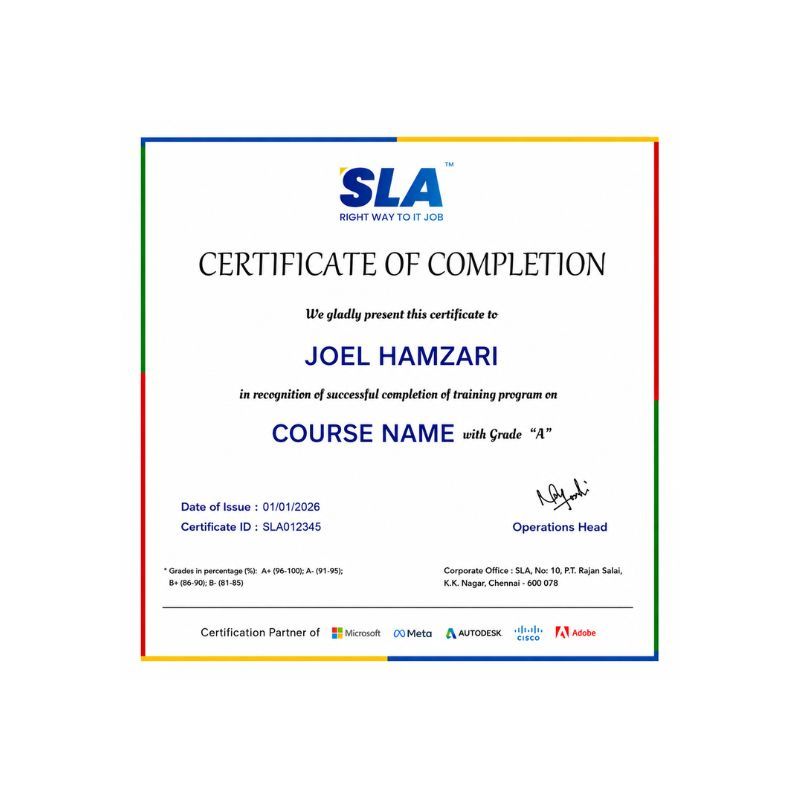
Certifications
Improve your abilities to get access to rewarding possibilities
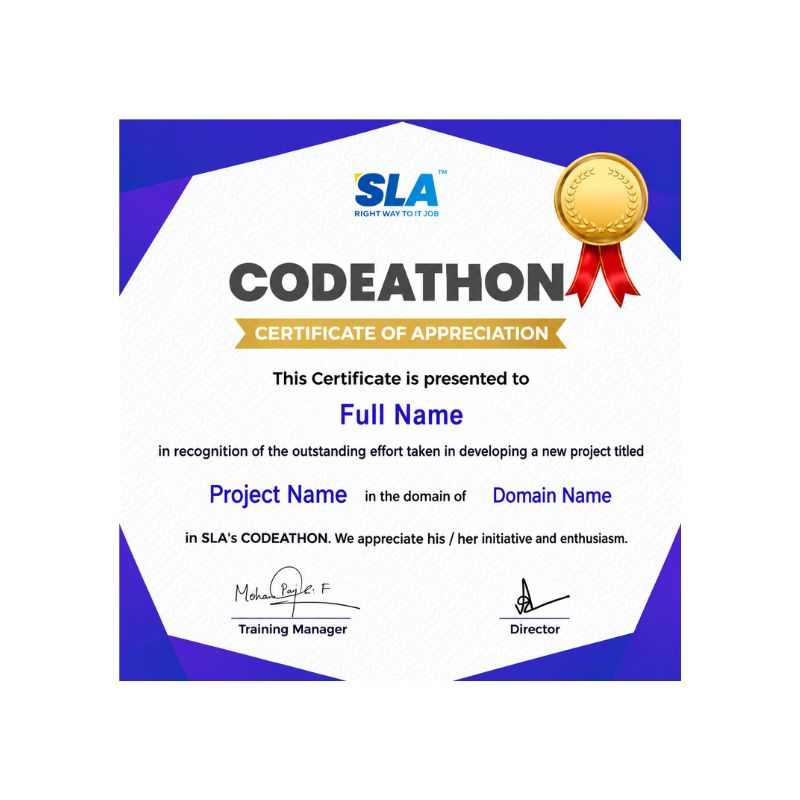
Earn Your Certificate of Completion
Take Your Career to the Next Level with Certifications
Stand Out from the Crowd with Codethon Certificate
Hands-on Project Practices in MCSE Course
Azure RMS Implementation
The deployment of Active Directory
High Availability File Server
WDS Implementation
Install Azure Infrastructure
Exchange Server Migration
Microsoft 365 Migration
Virtualization with Hyper-V
SCCM Implementation
The SLA Way to Get Placed in Top IT Companies
Enrollment
Technology Training
Realtime Projects
Placement Training
Interview Skills
Panel Mock
Interview
Unlimited
Interviews
Interview
Feedback
100%
IT Career
Placement Support for a MCSE Job
Genuine Placements. No Backdoor Jobs at Softlogic Systems.
Aptitude Training
from Day 1
Interview Skills
from Day 1
Softskills Training
from Day 1
Build Your Resume
Build your LinkedIn Profile
Build your GitHub
digital portfolio
Panel Mock Interview
Unlimited Interviews until you get placed
Life Long Placement Support at no cost
FAQs
Is MCSE certification worth IT?
Those without these certificates in your sector of work will not have the same advantage as you. IT professionals with Microsoft certifications should anticipate more compensation, improved career possibilities, a wider network of professional contacts, and a position as trusted consultants inside their organizations.
What are the 8 MCSE certifications?
Server infrastructure, communication, SharePoint, desktop infrastructure, private cloud, business intelligence, data platform, and messaging are the eight domains in which MCSE certification is offered.
How long is MCSE certification valid?
MCSE certification does not expire.
How many MCSE exams are there?
Depending on the particular certification path, IT workers seeking to earn the MCSE certification must pass two or three tests.
Who uses MCSE?
MCSE is an integral part of the tech stacks of many companies, ranging from Google to Netflix and many more in between.
In the MCSE course in OMR, what can I learn?
Once you have earned the MCSE certification, you can plan, create, implement, and manage new networks. Operating systems, servers, and web apps are all covered in MCSA training.
How long does it take to learn an MCSE course in OMR?
An MCSE course can take between 3 and 7 months.
Does SLA provide placement support with the MCSE course in OMR?
Yes, we help our students get into networking positions through our MCSE course in OMR. To assist you in beginning your job search, we offer extra tools like recruiting drives, practice interviews, and interview preparation classes in our MCSE training institute in OMR.
What kind of payment methods does SLA accept for MCSE courses in OMR?
Payments in cash, checks, cards, and all UPI payments of any form are all accepted for our MCSE training in OMR.
How many branches of SLA are there?
SLA is located in two places: K.K. Nagar and OMR, Navalur
Additional Information for
the MCSE Course
Top Trends in MCSE
- Azure cloud platform
- Cloud administration, management, and security capabilities.
- Data center management
- Network management using the newest Windows Server technologies
- Identity management using Active Directory.
- Combining on-premises infrastructure with cloud services
- Advancements in hybrid cloud systems
- Cybersecurity procedures, protecting systems from new dangers.
- Innovation and efficiency
Future Scope of the MCSE Skill
Possessing an MCSE certification makes you eligible for more senior roles that call for advanced proficiency with Microsoft technologies and solutions, such as those of an IT manager, systems engineer, or solutions architect. Enroll in our MCSE training in OMR to enhance your hardware and networking skills.