Software Training Institute in Chennai with 100% Placements – SLA Institute
⭐ Exclusive Summer Courses Offer ⭐ 💰 Flat ₹5,000 - ₹10,000 off on all courses 👨‍👩‍👧 Additional discounts for group enrollments 🎓 100% Placement Support 🏆 90,000+ Students Successfully Placed 🚀 Avail now! Limited seats only!

VBA Macros Training In OMR

4.70
(1253)

Join Our 100% Job-Guaranteed VBA Macros Course in OMR. We Provide Quality VBA Macros training with an affordable Cost in OMR. Our VBA Macros Syllabus covers the VBA programming basics, macro recording, editing, control structures, user forms, error handling, and integration with Excel, Word, and Outlook. At Softlogic Systems, you’ll earn globally recognized certifications, build real-time projects, and receive complete placement assistance to launch a successful career in your chosen field.
DURATION
Real-Time Location Services
1 Month
EMI
0% Interest
Mode
Rank-Based Percentile Gui Calculator using Tkinter
Live Online / Offline

Let's take the first step to becoming an expert in VBA Macros

Click Here to Get Started

100% Placement
Assurance

Get Certified

JOB PLACEMENT ELIGIBILITY TEST

×

Your Placement Eligibility Report

Want more details about VBA Macros Course?

Fill out the form, and our counsellors will get in touch with you at your preferred time. You can have all your queries answered. Once you decide that SLA is the perfect fit for your training needs, our counselors will guide you through the process every step of the way.

Course Schedules

Course Syllabus

Course Fees

CRM System Testing

or any other questions...

Fees, Duration & Batch Timings for VBA Macros Course

Hands On Training
3-5 Real Time Projects
60-100 Practical Assignments
3+ Assessments / Mock Interviews
June 2026
Week days
(Mon-Fri)
Online/Offline

2 Hours Real Time Interactive Technical Training 

1 Hour Aptitude 

1 Hour Communication & Soft Skills

(Suitable for Fresh Jobseekers / Non IT to IT transition)

Course Fee
June 2026
Week ends
(Sat-Sun)
Online/Offline

4 Hours Real Time Interactive Technical Training

(Suitable for working IT Professionals)

Course Fee

Save up to 20% in your Course Fee on our Job Seeker Course Series

Learn More

Syllabus of VBA Macros Course

Download Syllabus
VBA Macros Course Syllabus
  • Introduction to Excel
  • Introduction to Programming
  • VBA Overview and the IDE
  • Quick Review of Macros Working with Macros
  • How to use Visual Basic Editor (Programming Environment)
Advantages of VBA
  • An easy-to-use and versatile language
  • Integrated with off-the-shelf products
Understanding the VBA Editor, Module and Procedures
  • The Visual Basic Editor
  • Parts of the VBA Editor
  • Modules and Macros
  • About VBA Forms, Sub Procedures & Modules
  • Creating Forms
  • Using Controls and their Properties
  • Running VBA Forms in Excel
VBA Syntax and Grammar
  • Objects – The Grammar
  • Using Properties and Methods
  • Understanding Parameters
  • The Object Browser
  • Understanding object hierarchy
  • Tools for better coding
  • Moving to Other Cells
  • Editing Specific Cells
Storing Data in Variables
  • How and when to declare variables
  • Selecting data types
  • Fixed and dynamic arrays
  • Constants
Control Structure and Program Flow
  • IF (Else If, Else)Select Case ()
  • For Next Loop
  • For Each Loop ()
  • Do Until Loop and Do While Loop With, EndWith
  • Nesting Code
Building Procedure
  • Creating Sub and Function procedures
  • Calling procedures
  • Passing arguments to procedures
Building Intuitive User Interface
  • Communicating with the user through the message box
  • Gathering user information with the input box
  • Utilizing the File Dialog object and Dialogs collections
Variables, Array, Constants
  • Using the Immediate Window
  • Gaining greater control through the immediate window
  • Formatting Cells
  • Using Variables
  • Constants
  • Object Variables
  • Dimensioning and usage of variables
  • Displaying data and obtaining data from the user
Creating Customized Dialogs with User Form Objects
  • Command buttons
  • List and Combo boxes
  • Labels
  • Option buttons
  • Check boxes
  • Text boxes
  • Frames
  • Adding more functionality with advanced ActiveX control
Fonts & Backgrounds
  • Using Font Property in cells
  • Using Various Background Properties in Excel VBA
  • Creating a Counter
  • String Handling
  • Using Left, Right, Mid and Len Functions in VBA
  • Range Selection and Manipulation
Objects and Collections
  • Workbook and Worksheet Object
  • Range Object and Cell Properties
  • Methods and Properties
  • Assigning Objects
  • Using Name Arguments
Array
  • What is Array& why use array
  • Declaring an Array
  • Sorting Data in Array
  • 2-Dimention Array
  • Dynamic Array
  • UBourd
  • Storing Data in a range of an Array Elements
  • Using various array functions
Functions
  • Using Excel Worksheet Functions in VBA
  • VBA Functions
  • User-Defined Functions
  • Adding Help to User Defined Functions
  • Declaring Variables in User Defined Functions
  • Using Ranges in User Defined Functions
  • Creating and Managing an Add-in for User Defined Functions
Error Handling
  • Run Time Error
  • GoTo line
  • GoTo0
  • GoTo 1
  • Resume Next
Internet and Excel
  • Copy Hyperlinks and Text from a webpage to Spreadsheet
Interfacing with other Office Applications
  • Communicating with Word and PowerPoint using Excel VBA

Objectives of VBA Macros Training

Our VBA Macros Training in OMR is an extremely reliable course due to its new updated syllabus, which was curated by IT industry professionals, while adhering to the trends in the IT industry. The syllabus can be learned by candidates of any level of experience because the topics featured in the syllabus covers basic to advanced levels, some of those topics are discussed below:

  • The course begins with fundamental topics like, Introduction to Excel, Introduction to Programming, VBA Overview and the IDE etc.
  • The syllabus then goes a little deeper into VBA Macros through topics like, The Visual Basic Editor, Parts of the VBA Editor, Modules and Macros etc.
  • The syllabus finally moves on to advanced topics like, Run Time Error, GoTo line, Copying Hyperlinks and Text from a webpage to Spreadsheet, Using Excel Worksheet Functions in VBA etc.

Why Softlogic Systems is the Best Choice for VBA Macros Training – Learn, Practice, and Get Placed!

Crowdfunding Platform
Online & Offline Training Options
Learn at your convenience with flexible classroom and live online training.
Learn from 100+ Real-Time Developers
Get trained by industry professionals with years of hands-on experience.
Voting System with Python Django
Hands-on Projects & Codeathons
Practice with real-time projects and coding challenges to build confidence.
0% EMI Fee Options
Pay your course fees flexibly with easy EMI plans at zero interest.
Resume & Interview Support
Get expert help with resume building, mock interviews, and soft skills.
Placement with Top IT Firms
Access placement opportunities with leading MNCs and IT companies.
1000+ Hiring Partners
Benefit from Softlogic’s strong recruiter network for faster job placement.
No Backdoor Jobs
We ensure only genuine placement opportunities with trusted companies.
Want to Speak to a Trainer about VBA Macros?Request a Free Callback

Highlights of VBA Macros Course

VBA Macros, or Visual Basic for Applications Macros, are short scripts written in the VBA language. They automate repetitive tasks in Microsoft Office apps like Excel, Word, PowerPoint, and Access. VBA Macros handle data, calculations, document formatting, and can interact with other applications, saving time by automating manual tasks. They’re made by recording actions or writing code, and can be triggered by user-defined events or run manually.

The following are the reasons for learning VBA Macros:

  • Automation: VBA Macros streamline repetitive tasks within Microsoft Office programs, resulting in time and energy conservation.
  • Enhanced efficiency: Through task automation, VBA Macros empower users to achieve heightened productivity levels within shorter timeframes.
  • Tailored solutions: VBA Macros provide the capability to personalize and refine Office applications to align with individualized requirements and work processes.

SLA does not demand any prerequisites for any courses as all the courses cover topics from fundamental to advanced level. However having a basic knowledge on these below topics can be beneficial in learning the VBA Macros easily:

  • Familiarity with Microsoft Office applications: It’s important to have a basic understanding of programs like Excel, Word, PowerPoint, or Access.
  • Understanding of programming fundamentals: Having knowledge of basic programming concepts like variables, loops, conditional statements, and functions can be advantageous.
  • Skills in using the Visual Basic Editor (VBE): Being comfortable with navigating and utilizing the VBE environment within Microsoft Office applications is necessary.

Our VBA Macros Course is suitable for: 

  • Students
  • Job Seekers
  • Freshers
  • IT professionals aiming to enhance their skills
  • Professionals seeking career change
  • Enthusiastic programmers

The VBA Macros course fees depend on the program level (basic, intermediate, or advanced) and the course format (online or in-person).On average, the VBA Macros course fees come in the range of ₹18,000 to ₹25,000 INR for 1 month, inclusive of international certification. For some of the most precise and up-to-date details on fees, duration, and certified VBA Macros certification, kindly contact our Best Placement Training Institute in Chennai directly.

The following are the jobs related to VBA Macros:

  • Excel Specialist
  • Business Analyst
  • Data Analyst
  • Financial Analyst 

The Excel Specialist freshers salary typically with around less than a  year of experience earn approximately ₹2-3 lakhs annually. For a mid-career Excel Specialist with around 4 years of experience, the average annual salary is around ₹4-5 lakhs. An experienced Excel Specialist with more than 7 years of experience can anticipate an average yearly salary of around ₹6-7  lakhs. Visit SLA for more courses.

Here are several real time VBA Macros application:

  • Data Entry Automation
  • Report Generation
  • Data Cleaning and Validation
  • Email Automation

Boost Your Skills with Our VBA Macros Training Experts

Our Mentors are from Top Companies like:

The following are our trainer’s profile for the VBA Macros training in OMR:

  • Our VBA Macros instructors at Softlogic Systems are professionals employed in prestigious tech companies.
  • Students receive training to cultivate updated VBA Macros skills for a prosperous future in the IT industry.
  • They ensure their teaching aligns with industry standards by staying current with the latest trends.
  • With over 8 years of experience, they excel in developing VBA programs for task automation.
  • Proficiency lies in dynamically crafting formulas and utilizing advanced Excel functions like V-lookup and H-lookup.
  • Regularly gathering industry requirements, they tailor lesson plans, case studies, and projects accordingly.
  • They’re adept at conducting one-on-one sessions and training corporate employees.
  • Excellent communication skills enable effective knowledge transmission.
  • Learners receive preparation for job interviews, including insights into commonly asked questions and answers.
  • Gain expertise through VBA Training at Softlogic Systems, led by industry experts.
Want to Speak to a Trainer about VBA Macros?Request a Free Callback

What Modes of Training are available for VBA Macros Course?

Offline / Classroom Training

A Personalized Learning Experience with Direct Trainer Engagement!
  • Direct Interaction with the Trainer
  • Clarify doubts then and there
  • Airconditioned Premium Classrooms and Lab with all amenities
  • Codeathon Practices
  • Direct Aptitude Training
  • Live Interview Skills Training
  • Direct Panel Mock Interviews
  • Campus Drives
  • 100% Placement Support
Explore Offline Courses

Online Training

Interactive Quiz Website
Instructor Led Live Training! Learn at the comfort of your home
  • No Recorded Sessions
  • Live Virtual Interaction with the Trainer
  • Clarify doubts then and there virtually
  • Live Virtual Interview Skills Training
  • Live Virtual Aptitude Training
  • Online Panel Mock Interviews
  • 100% Placement Support
Explore Online Courses

Corporate Training

Blended Delivery model (both Online and Offline as per Clients’ requirement)
  • Industry endorsed Skilled Faculties
  • Flexible Pricing Options
  • Customized Syllabus
  • 12X6 Assistance and Support
Explore Offline Courses
Want to Master your Skills in VBA Macros?GET Free Consultation

Certifications

Take your career to new heights with Softlogic's software training certifications.
Improve your abilities to get access to rewarding possibilities
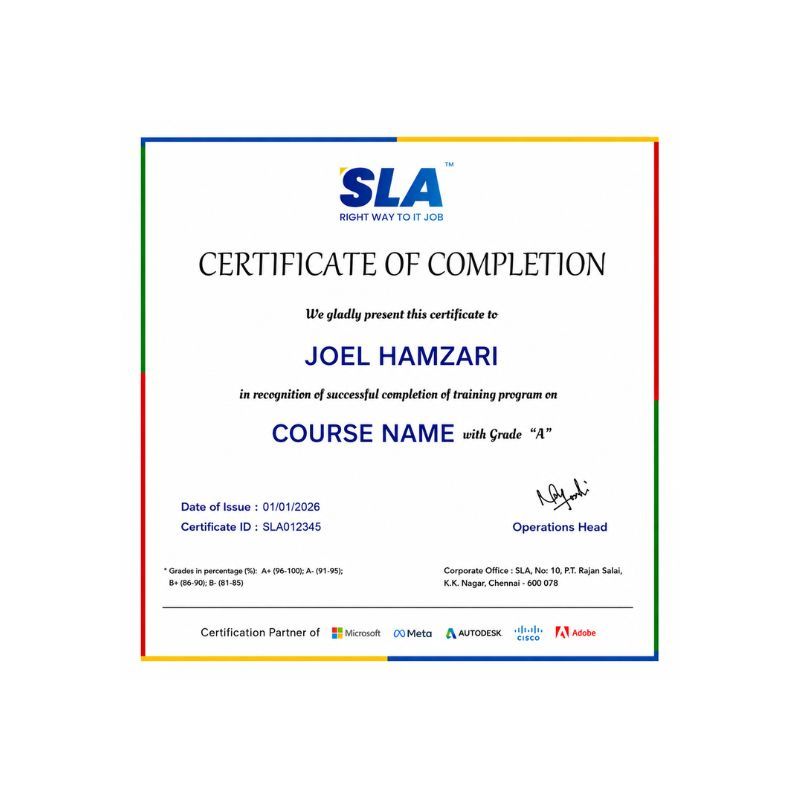
Earn Your Certificate of Completion
Validate your achievements with Softlogic's Certificate of Completion, verifying successful fulfillment of all essential components.
Take Your Career to the Next Level with  Certifications
Get a certifications through our training programs to gain a competitive edge in the industry.
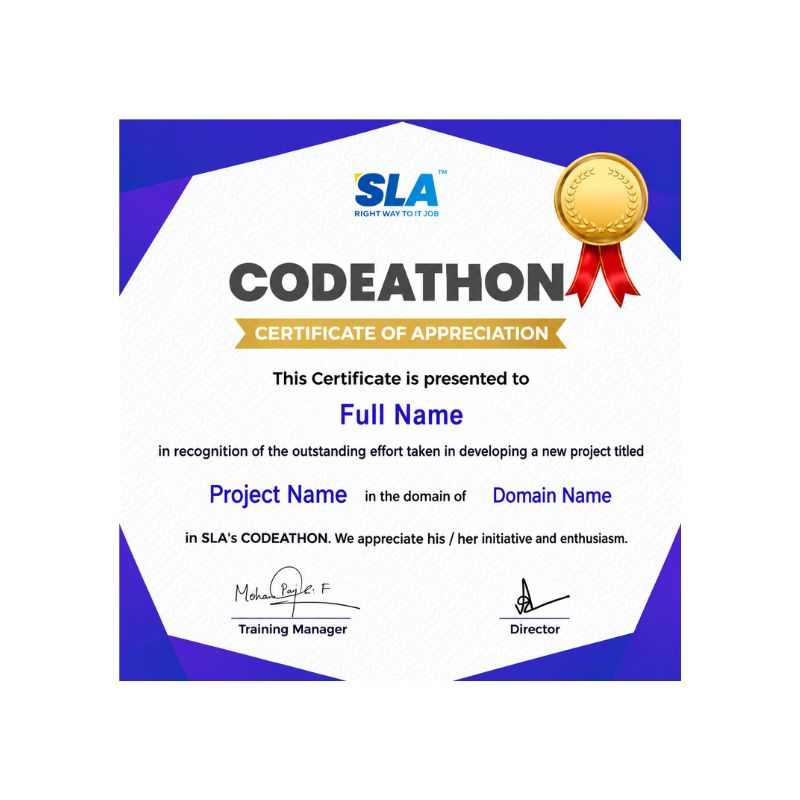
Stand Out from the Crowd with Codethon Certificate
Verify the authenticity of your real-time projects with Softlogic's Codethon certificate.

Hands-on Project Practices in VBA Macros Course

Web Scraping Tool
Dashboard for Key Performance Indicators (KPIs)
Automated Report Generation
Time Tracking Application
Customer Relationship Management (CRM) System
Data Analysis Tool
Project Management Tool
Expense Tracker
Inventory Management System

The SLA Way to Get Placed in Top IT Companies

Enrollment

Technology Training

Coding Practices
Realtime Projects

Placement Training

Aptitude Training
Interview Skills
CRM System Testing

Panel Mock
Interview

Unlimited
Interviews

Interview
Feedback

100%
IT Career

Google Reviews

Rating
4.8
1,053 Google reviews

SARAN M

SLA Institute provides training in communication and aptitude along with strong technical skills. The trainers explain concepts clearly with a practical approach, which helps build…
Click here for Full Review

NalluKumar Ravichandran

Hi, I recently completed the DOT NET Full Stack Development course at SLA, and I had a great learning experience. The teaching style and student…
Click here for Full Review

 Surya

 Special thanks to Vishal Sir, the Placement Officer, for his interview guidance, resume support, and continuous motivation throughout the placement process. I would also like…
Click here for Full Review

Nithish Sahoo

I had an excellent experience taking this DevOps course. The curriculum is well-structured and covers both fundamental and advanced DevOps concepts in a clear manner.…
Click here for Full Review

Shaaru Menan

I had a 3 year career break. Joined SLA on Java Full Stack course and completed it.Did projects with the help of my Mentor. They…
Click here for Full Review

MATHAN KUMAR G EEE

SLA Institute provides a structured learning environment for data analytics. The syllabus is relevant, and trainers are knowledgeable. Some sessions were very useful practically, while…
Click here for Full Review

Discover What Our Students Have To Say

See More Reviews

Placement Support for a VBA Macros Job

Genuine Placements. No Backdoor Jobs at Softlogic Systems.

Aptitude Training
from Day 1

CRM System Testing

Interview Skills
from Day 1

Softskills Training
from Day 1

Build Your Resume

Build your LinkedIn Profile

Build your GitHub
digital portfolio

Panel Mock Interview

Unlimited Interviews until you get placed

Life Long Placement Support at no cost

Unlock Career Opportunities with our Placement TrainingRequest a Free Callback

FAQs

SLA has a specially appointed HR personnel who will look into every student’s issues and grievances.

SLA accepts all types of payments ranging from cash, cheques, cards to every type of digital UPI payments.

SLA has EMI with 0% interest.

SLA has two branches currently, one in K.K. Nagar and another in Navalur, OMR.

SLA’s OMR branch is situated among the hub of IT companies in OMR, which gives the OMR branch of SLA a lot of credibility.

To boost VBA macros, try to use loops sparingly, avoid repetitive calculations, and utilize Excel’s built-in functions. Also, remember to free up memory by releasing unused objects and variables.

For smooth error handling, employ techniques like On Error Resume Next and On Error GoTo, tailor error messages for specific issues, and log error details to aid in troubleshooting.

Protect your VBA code by setting passwords for VBA projects, restrict viewing access to the VBA project, and encrypt sensitive data before embedding it into the code.

Working with extensive datasets in VBA Macros may lead to performance issues, memory limitations, and potential errors due to Excel’s capacity constraints. To address this, optimize code efficiency and consider alternative solutions like databases for managing large data volumes.

Integrate VBA Macros with other applications or languages through methods like COM for communication between processes, APIs for interacting with external systems, and automation for controlling additional software services. 

Additional Information for
the VBA Macros Course

  • Integration with Office 365 and Microsoft 365: This involves utilizing cloud services like SharePoint, OneDrive, and Microsoft Teams to improve collaboration and data accessibility within VBA projects.
  • Power Automate and Power Platform Integration: Microsoft’s Power Automate and Power Platform offer simple solutions for automating workflows and creating custom applications without extensive coding. There’s a rising trend of integrating VBA Macros with these platforms.
  • Enhancements in Excel’s Data Analysis and Visualization Tools: VBA Macros are being used to complement these advancements by providing tailored automation and advanced analytics directly within Excel, including tasks like developing machine learning models and predictive analytics.
  • Focus on Security and Compliance: This involves implementing best practices for code security, such as utilizing digital signatures and following secure coding practices, to safeguard against malicious attacks and unauthorized access to sensitive data.
  • Shift towards Modern Development Practices: This includes integrating principles from object-oriented programming (OOP), modular design patterns, and test-driven development (TDD) to enhance code quality, maintainability, and scalability.
  • Emergence of Alternative Tools and Languages: Solutions like Python, alongside libraries such as xlwings and openpyxl, provide powerful alternatives for automating Excel tasks and interacting with Excel workbooks programmatically.

Related Blogs

Our counselors will share the Syllabus PDF with you via Email / Whatsapp

Get Your Instant Job & Placement Eligibility
Report in Just 30 Seconds!
Below 30% - not Eligible (Needs Preparation)
30% – 70% - Partially Eligible (Needs Guidance)
Above 70% - Fully Eligible (Ready to Start)

We are excited to get started with you

Give us your information and we will arange for a free call (at your convenience) with one of our counsellors. You can get all your queries answered before deciding to join SLA and move your career forward.