Join Our 100% Job-Guaranteed WordPress Course in OMR. We Provide Quality WordPress training with an affordable Cost in OMR. Our WordPress syllabus covers WordPress installation, customization, plugin management, page builders, SEO best practices, security, and website maintenance. At Softlogic Systems, you’ll earn globally recognized certifications, build real-time projects, and receive complete placement assistance to launch a successful career in your chosen field.
WordPress Training In OMR
DURATION
2 Months
EMI
0% Interest
Mode
Live Online / Offline
Let's take the first step to becoming an expert in WordPress
100% Placement
Assurance
Get Certified
JOB PLACEMENT ELIGIBILITY TEST
Your Placement Eligibility Report
Want more details about WordPress Course?
Course Schedules
Course Syllabus
Course Fees
or any other questions...
Fees, Duration & Batch Timings for WordPress Course
Hands On Training
3-5 Real Time Projects
60-100 Practical Assignments
3+ Assessments / Mock Interviews
June 2026
Week days
(Mon-Fri)
Online/Offline
2 Hours Real Time Interactive Technical Training
1 Hour Aptitude
1 Hour Communication & Soft Skills
(Suitable for Fresh Jobseekers / Non IT to IT transition)
June 2026
Week ends
(Sat-Sun)
Online/Offline
4 Hours Real Time Interactive Technical Training
(Suitable for working IT Professionals)
Save up to 20% in your Course Fee on our Job Seeker Course Series
Syllabus of WordPress Course
Introduction CMS And WordPress
- Why CMS
- Advantages and Disadvantages of CMS
- com vs. WordPress.org
WordPress Installation
- Setting up WordPress in Local Server
- Setting up WordPress in Remote Server
- Upgrading WordPress
- Understanding FTP
User Administration
- WordPress Admin
- Creating Users
- User Rights & Roles
WordPress Themes
- Free theme Vs Paid Theme
- Theme Selection Process
- Adding/installing Themes
- Changing Themes
- Preview & Activating Themes
Working with Widgets
- Installing widgets in sidebar
- Installing widgets in footer
Working with Menu for your Website
- Creating menus
- Adding pages, posts, categories to menus
- Creating Sub-menus
- Deleting items from menu
WordPress Plugins
- Installing plugins
- Activating Plugin & managing plugins
- Upgrading plugins
- Recommended Plugins
Working with Content
- Posts Vs Pages
- Adding Hyperlinks
- Playing with Media content
- Previewing and Editing Posts
- Previewing and Editing Pages
- Page Order
- Creating a post
- Adding Media files to content –images and videos
- Using Categories and Tags
- Creating Pages
- Page Hierarchy
WordPress Settings
- General settings
- Reading
- Media
- Writing settings
- Discussion
- Permalinks
WordPress Backup
- Enhancing WordPress Security
Objectives of WordPress Training
Our WordPress Training in OMR has the most up-to-date topics to learn, so students will be relevant in the industry. The syllabus is curated by IT industry experts while taking into consideration the current trends in the IT industry. The syllabus has topics that range from basic fundamental level to advanced level. A few of the topics are discussed below:
- The course begins with fundamental topics like Introduction CMS And WordPress, WordPress Installation etc.
- The course then moves a little deeper in WordPress through topics like User Administration, WordPress Themes etc.
- The syllabus finally moves onto advanced topics like WordPress Plugins, Working with Content, WordPress Settings etc.
Why Softlogic Systems is the Best Choice for WordPress Training – Learn, Practice, and Get Placed!
Online & Offline Training Options
Learn from 100+ Real-Time Developers
Hands-on Projects & Codeathons
0% EMI Fee Options
Resume & Interview Support
Placement with Top IT Firms
1000+ Hiring Partners
No Backdoor Jobs
Highlights of WordPress Course
What is WordPress?
WordPress is an open-source CMS used worldwide to create and manage websites and blogs. It caters to various users, from individuals to corporations, offering a user-friendly interface for customization. With numerous themes and plugins available, users can tailor their websites to their specific requirements effortlessly.
What are the reasons for learning WordPress?
The following are reasons for learning WordPress:
- Ease of Use: WordPress offers an easy-to-use interface, perfect for beginners to build and handle websites without needing advanced technical skills.
- Versatility: You can use WordPress to create different kinds of websites like blogs, business sites, online stores, portfolios, and more, meeting a wide range of needs.
- Large Community: With WordPress, you become part of a big community of developers, designers, and users who help improve it and offer support, tutorials, and helpful resources.
What are the prerequisites for learning WordPress Training in OMR?
SLA does not demand any prerequisites for any courses as all the courses cover topics from fundamental to advanced level. However having a basic knowledge on these below topics can be beneficial in learning the WordPress easily:
- Basic Computer Skills: You should know how to use a computer and browse the internet.
- Understanding of Web Concepts: It’s useful to understand basic web ideas like domains, hosting, URLs, and web browsers.
- HTML and CSS Basics: Knowing a bit about HTML (Hypertext Markup Language) and CSS (Cascading Style Sheets) can help you customize WordPress themes and layouts, but it’s not necessary.
Our WordPress Course is suitable for:
- Students
- Job Seekers
- Freshers
- IT professionals aiming to enhance their skills
- Professionals seeking career change
- Enthusiastic programmers
What are the course fees and duration?
The WordPress course fees depend on the program level (basic, intermediate, or advanced) and the course format (online or in-person).On average, the WordPress course fees come in the range of ₹18,000 to ₹25,000 INR for 1 month, inclusive of international certification. For some of the most precise and up-to-date details on fees, duration, and certified WordPress certification, kindly contact our Best Placement Training Institute in Chennai directly.
What are some of the jobs related to WordPress?
The following are the jobs related to WordPress:
- WordPress Developer
- SEO Analyst
- Web Designer
- Content Manager
What is the salary range for the position of WordPress Developer?
The WordPress Developer freshers salary typically with around less than a year of experience earn approximately ₹2-3 lakhs annually. For a mid-career WordPress Developer with around 3 years of experience, the average annual salary is around ₹4-5 lakhs. An experienced WordPress Developer with more than 5 years of experience can anticipate an average yearly salary of around ₹6-7 lakhs. Visit SLA for more courses.
List a few real time WordPress applications.
Here are several real time WordPress applications:
- Portfolio Website
- Blog with Custom Theme
- E-commerce Store
- Membership Websites
Boost Your Skills with Our WordPress Training Experts
Our Mentors are from Top Companies like:
The following are our trainer’s profile for the WordPress training in OMR:
- Our instructors are renowned professionals within the industry, setting the bar high for training standards.
- They bring vast experience, hold advanced certifications, and actively work with leading IT multinational corporations.
- With a proven track record of annually training over 2000 students, they have strong ties with HR professionals, ensuring successful placements.
- As experts in the WordPress domain, our trainers have practical experience with live projects, enriching your learning experience.
- They hold affiliations with esteemed companies such as Cognizant, Dell, Infosys, IBM, among others.
- Our trainers are industry leaders and subject matter experts, delivering top-tier WordPress training.
- They provide valuable insights into website security and teach strategies to safeguard your WordPress site effectively.
- Our trainers mentor you in utilizing WordPress to craft compelling blogs, portfolios, and business websites.
- With profound expertise in WordPress development, they cover topics like themes, plugins, and website optimization comprehensively.
- They possess extensive knowledge of WordPress CMS and its functionalities, ensuring a well-rounded learning journey.
- Known for their approachable and adaptable teaching style, our trainers assist you in developing logical thinking skills and achieving excellence.
What Modes of Training are available for WordPress Course?
Offline / Classroom Training
- Direct Interaction with the Trainer
- Clarify doubts then and there
- Airconditioned Premium Classrooms and Lab with all amenities
- Codeathon Practices
- Direct Aptitude Training
- Live Interview Skills Training
- Direct Panel Mock Interviews
- Campus Drives
- 100% Placement Support
Online Training
- No Recorded Sessions
- Live Virtual Interaction with the Trainer
- Clarify doubts then and there virtually
- Live Virtual Interview Skills Training
- Live Virtual Aptitude Training
- Online Panel Mock Interviews
- 100% Placement Support
Corporate Training
- Industry endorsed Skilled Faculties
- Flexible Pricing Options
- Customized Syllabus
- 12X6 Assistance and Support
Certifications
Improve your abilities to get access to rewarding possibilities
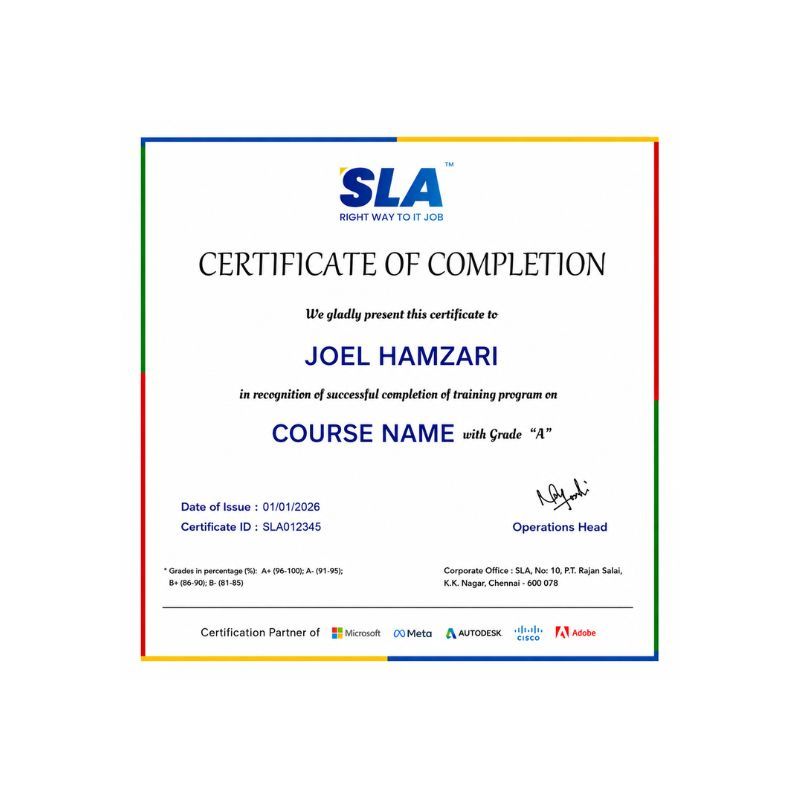
Earn Your Certificate of Completion
Take Your Career to the Next Level with Certifications
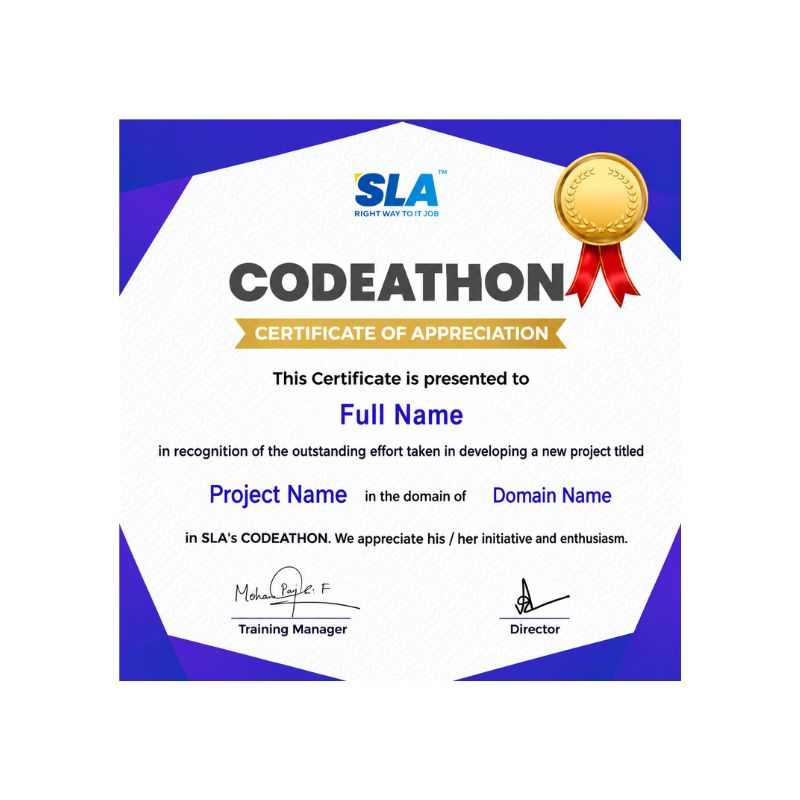
Stand Out from the Crowd with Codethon Certificate
Hands-on Project Practices in WordPress Course
Nonprofit Organization Website
Online Magazine or News Portal
Job Portal
Real Estate Listings Website
Online Learning Platform
Fitness and Wellness Website
Travel Blog
Recipe Sharing Platform
Event Management Website
The SLA Way to Get Placed in Top IT Companies
Enrollment
Technology Training
Realtime Projects
Placement Training
Interview Skills
Panel Mock
Interview
Unlimited
Interviews
Interview
Feedback
100%
IT Career
Placement Support for a WordPress Job
Genuine Placements. No Backdoor Jobs at Softlogic Systems.
Aptitude Training
from Day 1
Interview Skills
from Day 1
Softskills Training
from Day 1
Build Your Resume
Build your LinkedIn Profile
Build your GitHub
digital portfolio
Panel Mock Interview
Unlimited Interviews until you get placed
Life Long Placement Support at no cost
FAQs
Does SLA have EMI options?
Yes, SLA has an EMI option with 0% interest.
Does SLA have experienced trainers?
Yes, SLA has trainers who have years of experience in both IT and in teaching.
What type of payment is preferred by SLA?
SLA accepts all types of payments ranging from cash, cards to all kinds of UPI payments.
How many branches does SLA have?
SLA has a couple of branches. One is in K.K. Nagar and another is in Navalur, OMR.
What is the unique feature of SLA’s OMR branch?
SLA’s OMR branch is located right in the middle of OMR’s IT hub, which gives students a lot of opportunities when it comes to internships and placements.
How can I make my WordPress website faster?
To speed up your WordPress site, try using a caching plugin, optimizing images, using fewer plugins, picking a lightweight theme, and using a content delivery network (CDN) for quicker content delivery.
What can I do to keep my WordPress site safe and secure?
Keep your WordPress site safe by updating WordPress, themes, and plugins regularly, using strong passwords and two-factor authentication, limiting login attempts, installing a security plugin, and staying vigilant for suspicious activity.
What should I do if I encounter problems with my WordPress site?
If you face issues with your WordPress site, check for conflicting plugins or themes, deactivate plugins one by one, review error logs, increase PHP memory limit, clear cache, and restore backups if needed.
How can I ensure I have backups for my WordPress website?
Ensure you have backups for your WordPress site by using a dependable backup plugin, scheduling regular backups (daily, weekly, or monthly), storing backups offsite (like in cloud storage), testing backups periodically, and having a disaster recovery plan in case of emergencies.
What steps can I take to improve the visibility of my WordPress site in search engines?
Enhance your WordPress site’s SEO by installing an SEO plugin such as Yoast SEO or Rank Math, optimizing meta titles and descriptions, creating XML sitemaps, optimizing images with alt tags, using SEO-friendly URLs, and crafting high-quality, keyword-rich content.
Additional Information for
the WordPress Course
Current Trends in WordPress
- Heightened Attention to Security and Privacy: Amid rising fears regarding cybersecurity and data privacy, there is an increased emphasis on implementing security measures within WordPress development. This involves conducting regular security audits, adhering to industry best practices, and ensuring compliance with data protection regulations such as GDPR.
- Emphasis on Sustainability and Eco-Friendly Hosting: An increasing awareness of environmental sustainability is pervading the web hosting sector. WordPress users are actively pursuing green hosting providers that prioritize renewable energy sources and strive to minimize their carbon footprint.