Software Training Institute in Chennai with 100% Placements – SLA Institute
⭐ Exclusive Summer Courses Offer ⭐ 💰 Flat ₹5,000 - ₹10,000 off on all courses 👨‍👩‍👧 Additional discounts for group enrollments 🎓 100% Placement Support 🏆 90,000+ Students Successfully Placed 🚀 Avail now! Limited seats only!

Power BI Training In Chennai

4.80
(15498)

Upgrade your career with the Power BI Training in Chennai at Softlogic Systems. Our Power BI syllabus covers the Power BI Desktop, data modeling, DAX formulas, interactive dashboards, Power Query, data transformation, and report publishing. Our Power BI course in Chennai comes with placement support, flexible schedules, real-time projects, and certification to help you successfully launch your career. Our placement team connects you with top IT companies for a smooth career transition.
DURATION
Real-Time Location Services
1.5 Months
EMI
0% Interest
Mode
Rank-Based Percentile Gui Calculator using Tkinter
Live Online / Offline

Let's take the first step to becoming an expert in Power BI

Click Here to Get Started

100% Placement
Assurance

Get Certified

JOB PLACEMENT ELIGIBILITY TEST

×

Your Placement Eligibility Report

Want more details about Power BI Course?

Fill out the form, and our counsellors will get in touch with you at your preferred time. You can have all your queries answered. Once you decide that SLA is the perfect fit for your training needs, our counselors will guide you through the process every step of the way.

Course Schedules

Course Syllabus

Course Fees

CRM System Testing

or any other questions...

Fees, Duration & Batch Timings for Power BI Course

Hands On Training
3-5 Real Time Projects
60-100 Practical Assignments
3+ Assessments / Mock Interviews
June 2026
Week days
(Mon-Fri)
Online/Offline

2 Hours Real Time Interactive Technical Training 

1 Hour Aptitude 

1 Hour Communication & Soft Skills

(Suitable for Fresh Jobseekers / Non IT to IT transition)

Course Fee
June 2026
Week ends
(Sat-Sun)
Online/Offline

4 Hours Real Time Interactive Technical Training

(Suitable for working IT Professionals)

Course Fee

Save up to 20% in your Course Fee on our Job Seeker Course Series

Learn More

Syllabus of Power BI Course

Download Syllabus
Deploying and Managing Windows Server 2012
  • Windows Server 2012 Overview
  • Overview of Windows Server 2012 Management
  • Installing Windows Server 2012
  • Post-Installation Configuration of Windows Server 2012
  • Introduction to Windows PowerShell
Introduction to Active Directory Domain Services
  • Overview of AD DS
  • Overview of Domain Controllers
  • Installing a Domain Controller
Managing Active Directory Domain Services Objects
  • Managing User Accounts
  • Managing Group Accounts
  • Managing Computer Accounts
  • Delegating Administration
Automating Active Directory Domain Services Administration
  • Using Command-line Tools for Administration
  • Using Windows PowerShell for Administration
  • Performing Bulk Operations with Windows PowerShell
Implementing IPv4
  • Overview of TCP/IP
  • Understanding IPv4 Addressing
  • Subnetting and Supernetting
  • Configuring and Troubleshooting IPv4
Implementing DHCP
  • Installing a DHCP Server Role
  • Configuring DHCP Scopes
  • Managing a DHCP Database
  • Securing and Monitoring DHCP
Implementing DNS
  • Name Resolution for Windows Client and Servers
  • Installing and Managing a DNS Server
  • Managing DNS Zones
Implementing IPv6
  • Overview of IPv6
  • IPv6 Addressing
  • Coexistence with IPv6
  • IPv6 Transition Technologies
Implementing Local Storage
  • Overview of Storage
  • Managing Disks and Volumes
  • Implementing Storage Spaces
Implementing File and Print Services
  • Securing Files and Folders
  • Protecting Shared Files and Folders Using Shadow Copies
  • Configuring Network Printing
Implementing Group Policy
  • Overview of Group Policy
  • Group Policy Processing
  • Implementing a Central Store for Administrative Templates
Securing Windows Servers Using Group Policy Objects
  • Windows Security Overview
  • Configuring Security Settings
  • Restricting Software
  • Configuring Windows Firewall with Advanced Security
Implementing Server Virtualization with Hyper-V
  • Overview of Virtualization Technologies
  • Implementing Hyper-V
  • Managing Virtual Machine Storage
  • Managing Virtual Networks
Deploying and Maintaining Server Images
  • Overview of Windows Deployment Services
  • Implementing Deployment with Windows Deployment Services
  • Administering Windows Deployment Services
Configuring and Troubleshooting Domain Name System
  • Installing the DNS Server Role
  • Configuring the DNS Server Role
  • Configuring DNS Zones
  • Configuring DNS Zone Transfers
  • Managing and Troubleshooting DNS
Maintaining Active Directory Domain Services
  • Overview of AD DS
  • Implementing Virtualized Domain Controllers
  • Implementing RODC
  • Administering AD DS
  • Managing the AD DS Database
Managing User and Service Accounts
  • Automating User Account Management
  • Configuring Password-Policy and User-Account Lockout Settings
  • Configuring Managed Service Accounts
Implementing a Group Policy Infrastructure
  • Introducing Group Policy
  • Implementing and Administering Group Policy Objects (GPOs)
  • Group Policy Scope and Group Policy Processing
  • Troubleshooting the Application of GPOs
Managing User Desktops with Group Policy
  • Implementing Administrative Templates
  • Configuring Folder Redirection and Scripts
  • Configuring Group Policy Preferences
  • Managing Software with Group Policy
Configuring and Troubleshooting Remote Access
  • Configuring Network Access
  • Configuring Virtual Private Network (VPN) Access
  • Overview of Network Policies
  • Troubleshooting Routing and Remote Access
  • Configuring DirectAccess

Objectives of Power BI Training

The main benefit that students will enjoy in our institute is the new and updated Power BI syllabus which will expose them to interesting topics like: Domain Controllers, Subnetting and Supernetting, the DHCP and more.

By the time students finish the course they will be well experienced in the following major topics in our Power BI syllabus:

  • Windows Server 2012 (Deploying and Managing)
  • Active Directory Domain Service Administration
  • DHCP
  • Local Storage
  • Group Policy
  • Managing user and service accounts and more.

Why Softlogic Systems is the Best Choice for Power BI Training – Learn, Practice, and Get Placed!

Crowdfunding Platform
Online & Offline Training Options
Learn at your convenience with flexible classroom and live online training.
Learn from 100+ Real-Time Developers
Get trained by industry professionals with years of hands-on experience.
Voting System with Python Django
Hands-on Projects & Codeathons
Practice with real-time projects and coding challenges to build confidence.
0% EMI Fee Options
Pay your course fees flexibly with easy EMI plans at zero interest.
Resume & Interview Support
Get expert help with resume building, mock interviews, and soft skills.
Placement with Top IT Firms
Access placement opportunities with leading MNCs and IT companies.
1000+ Hiring Partners
Benefit from Softlogic’s strong recruiter network for faster job placement.
No Backdoor Jobs
We ensure only genuine placement opportunities with trusted companies.
Want to Speak to a Trainer about Power BI?Request a Free Callback

Highlights of Power BI Course

Microsoft Power BI is a user-friendly data visualization platform primarily used for business intelligence. It offers a variety of visualization styles like graphs, charts, and maps. Power BI’s “AI Insights” feature uses artificial intelligence to uncover insights from data sets.

There are several compelling reasons for learning Microsoft Power BI Training in Chennai:

  • Data Visualization and Reporting: Create interactive and insightful reports and dashboards.
  • Business Intelligence (BI) Skills: Enhance expertise in data analysis and interpretation.
  • User-Friendly Interface: Accessible to non-technical users without extensive coding.
  • Integration with Microsoft Ecosystem: Seamlessly works with other Microsoft products.
  • Data Connectivity: Connect to a wide range of data sources on-premises and in the cloud.

Our Power BI Course in Chennai has no prior prerequisites, making it accessible to all learners. However, a basic grasp of Microsoft Excel and SQL can be advantageous. This foundational knowledge will aid in comprehending data analysis concepts and streamline the learning process.

Our Power BI Training in Chennai is suitable for:

  • Students
  • Professionals seeking a career change
  • IT professionals aiming to enhance their skills
  • Enthusiastic programmers
  • Job Seekers

The fees for our Power BI Course in Chennai depend on the program level (basic, intermediate, or advanced) and the course format (online or in-person). On average, the Power BI Course Fees in Chennai comes around 25,000 INR for a duration of 1.5 months, inclusive of international certification. For the most accurate and up-to-date information on fees, course duration, and certification, please reach out to our Power BI Training Institute in Chennai directly.

Several job roles are related to Microsoft Power BI, given its widespread use in business intelligence and data visualization. Some of the key job roles are:

  • Power BI Developer
  • BI Consultant
  • Business Analyst
  • Operations Analyst
  • Data Visualization Specialist

Microsoft Power BI finds real-time applications in various domains due to its ability to process and visualize data in real-time. Some of the common real-time applications of Power BI include:

  • Operational Monitoring: Real-time tracking of data from sensors and equipment for quick issue identification.
  • Educational Performance Tracking: Real-time analysis of student performance and academic progress for educators.
  • Healthcare Emergency Room Monitoring: Real-time analysis of patient data in emergency rooms for quick decision-making.
  • Website Traffic and User Behavior: Real-time analysis of website traffic and user behavior to optimize website performance.
  • IT System Monitoring: Real-time tracking of IT system performance and alerts for issue resolution.

As per data from AmbitionBox, the Power BI Developer freshers salary typically with less than 3 years of experience earn approximately ₹3-5 lakhs annually. For mid-career Power BI Developers with around 4 years of experience, the average annual salary is around ₹6.5 lakhs. An experienced Power BI Developer with around 5  years of experience can anticipate an average yearly salary of around ₹7.5 lakhs

Boost Your Skills with Our Power BI Training Experts

Our Mentors are from Top Companies like:
  • With 8+ years of industrial experience, Our trainers are capable of imparting high-quality Power BI training to aid students in exploring various data visualizations.
  • They are experienced in translating business objectives into actionable insights using cutting-edge technology.
  • They are keen to help learners develop a strong understanding of Power BI and are able to demonstrate Power BI tool capabilities for reporting, competing, and forecasting.
  • They are experienced in creating comprehensive, cohesive, and automated reports with Power BI. Also, they build custom visuals, data models, and dashboards to train the students.
  • They assist the students in creating comprehensive data transformation strategies at the Power BI Training in Chennai.
  • They support students with real-world examples in a step-by-step approach and guide them to learn industry-specific operational intelligence tasks.
  • They train students on transforming, cleaning & merging datasets to make data for analysis and assist in establishing a secure cloud infrastructure for Power BI.
  • They teach learners to build comprehensive reports with DAX and Power Query and train them on how to create intuitive visuals and integrate them with third-party applications.
  • They are masters in explaining how to use Power BI with Dynamics 365, Azure, and Big Data services.
  • They are highly skilled in helping students to craft industry-oriented resumes that are in accordance with industry standards.
  • Our trainers are well-versed in preparing the students for easily cracking their interviews of all levels with important, beginner to advanced level most frequently asked interview questions.
Want to Speak to a Trainer about Power BI?Request a Free Callback

What Modes of Training are available for Power BI Course?

Offline / Classroom Training

A Personalized Learning Experience with Direct Trainer Engagement!
  • Direct Interaction with the Trainer
  • Clarify doubts then and there
  • Airconditioned Premium Classrooms and Lab with all amenities
  • Codeathon Practices
  • Direct Aptitude Training
  • Live Interview Skills Training
  • Direct Panel Mock Interviews
  • Campus Drives
  • 100% Placement Support
Explore Offline Courses

Online Training

Interactive Quiz Website
Instructor Led Live Training! Learn at the comfort of your home
  • No Recorded Sessions
  • Live Virtual Interaction with the Trainer
  • Clarify doubts then and there virtually
  • Live Virtual Interview Skills Training
  • Live Virtual Aptitude Training
  • Online Panel Mock Interviews
  • 100% Placement Support
Explore Online Courses

Corporate Training

Blended Delivery model (both Online and Offline as per Clients’ requirement)
  • Industry endorsed Skilled Faculties
  • Flexible Pricing Options
  • Customized Syllabus
  • 12X6 Assistance and Support
Explore Offline Courses
Want to Master your Skills in Power BI?GET Free Consultation

Certifications

Take your career to new heights with Softlogic's software training certifications.
Improve your abilities to get access to rewarding possibilities
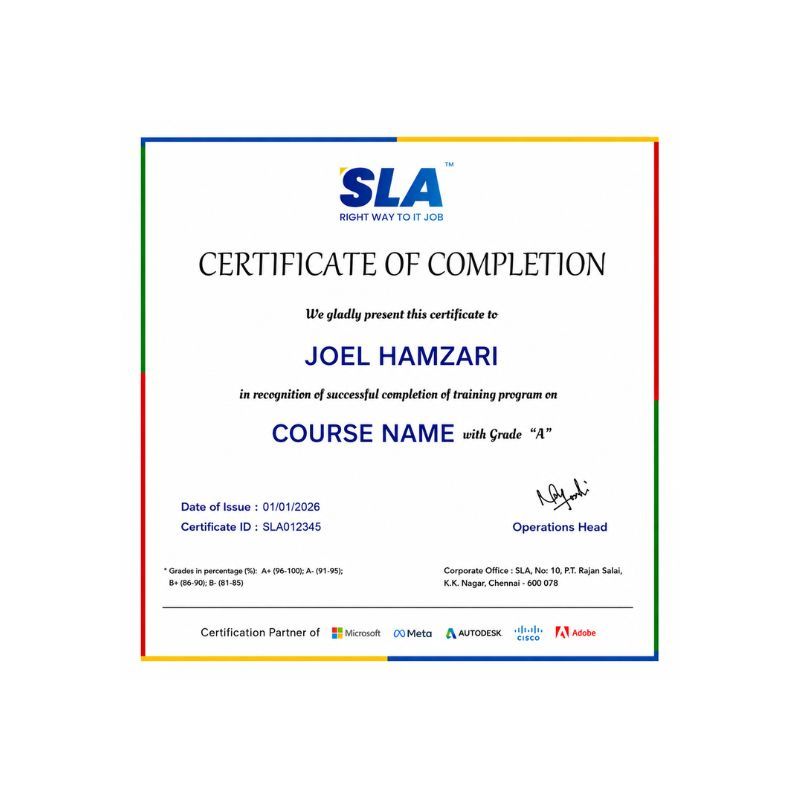
Earn Your Certificate of Completion
Validate your achievements with Softlogic's Certificate of Completion, verifying successful fulfillment of all essential components.
Take Your Career to the Next Level with  Certifications
Get a certifications through our training programs to gain a competitive edge in the industry.
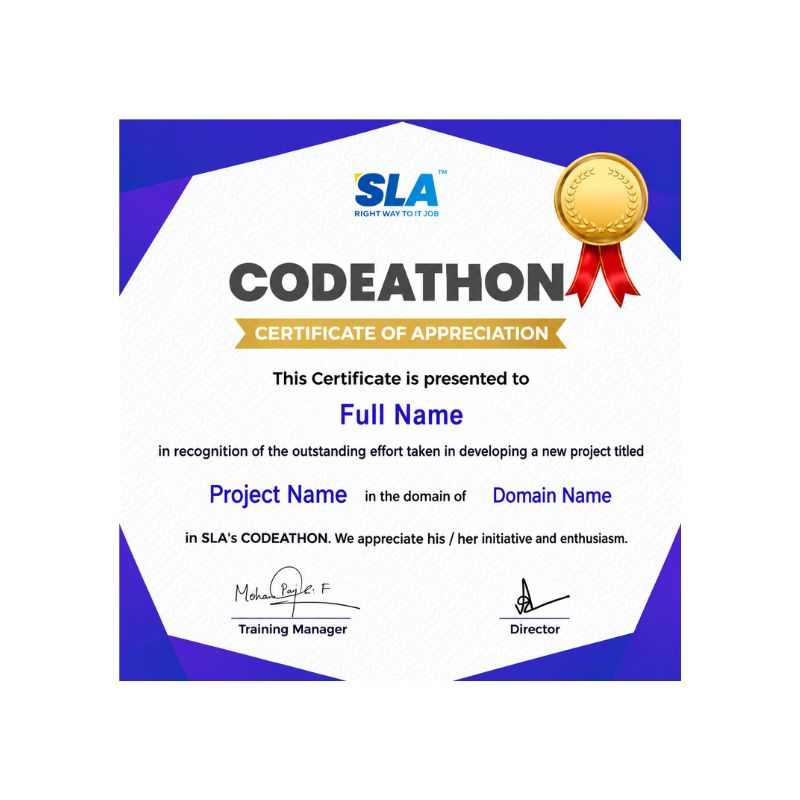
Stand Out from the Crowd with Codethon Certificate
Verify the authenticity of your real-time projects with Softlogic's Codethon certificate.

Hands-on Project Practices in Power BI Course

Financial Analysis
Retail Analytics
Quality Control Dashboard
Energy Consumption Analysis
Website Analytics
Sales Dashboard
Call Center Analytics
Education Analytics
IT Service Management

The SLA Way to Get Placed in Top IT Companies

Enrollment

Technology Training

Coding Practices
Realtime Projects

Placement Training

Aptitude Training
Interview Skills
CRM System Testing

Panel Mock
Interview

Unlimited
Interviews

Interview
Feedback

100%
IT Career

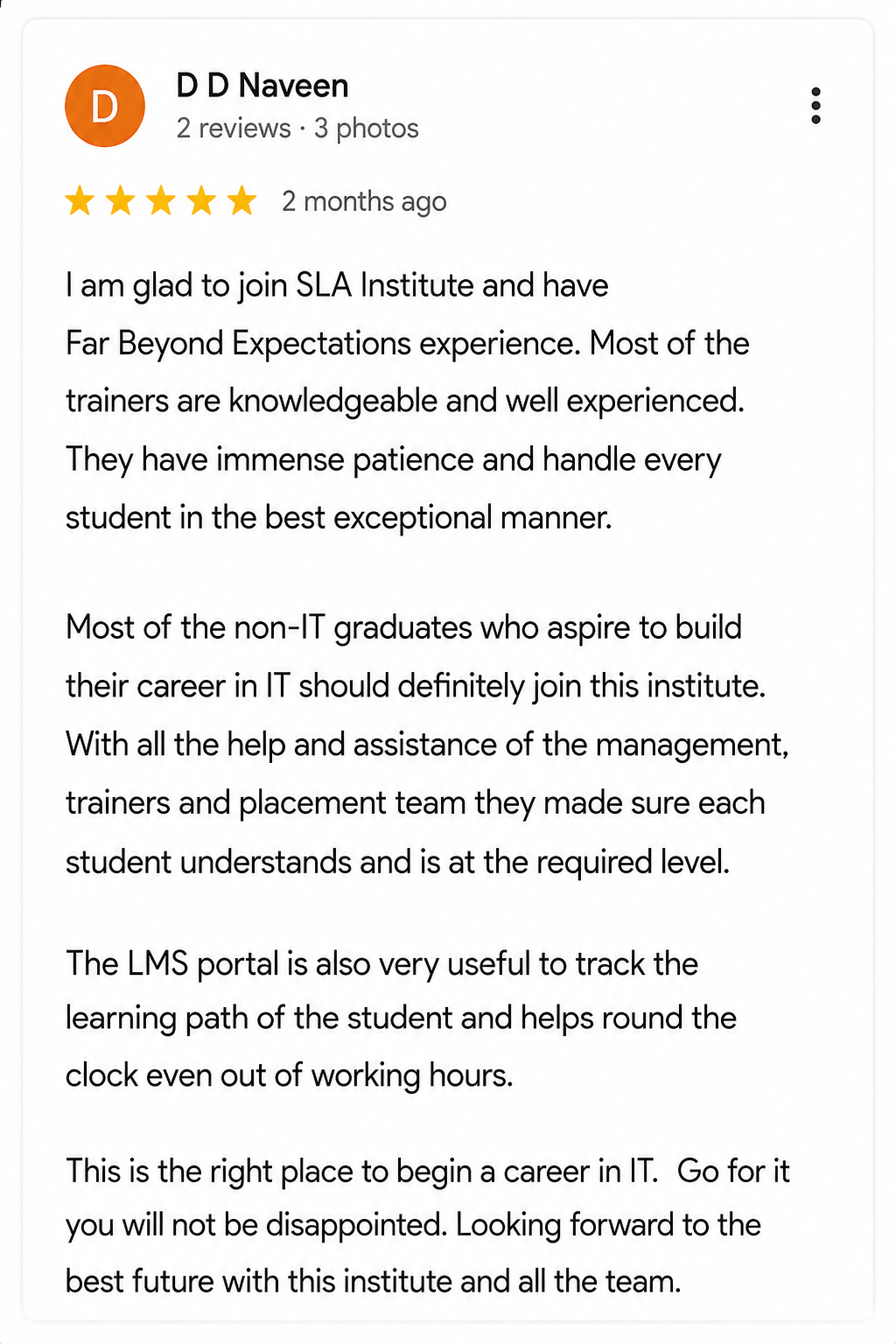
Google Reviews

Rating
4.8
1,053 Google reviews

Nithish Sahoo

I had an excellent experience taking this DevOps course. The curriculum is well-structured and covers both fundamental and advanced DevOps concepts in a clear manner.…
Click here for Full Review

SARAN M

SLA Institute provides training in communication and aptitude along with strong technical skills. The trainers explain concepts clearly with a practical approach, which helps build…
Click here for Full Review

NalluKumar Ravichandran

Hi, I recently completed the DOT NET Full Stack Development course at SLA, and I had a great learning experience. The teaching style and student…
Click here for Full Review

 Surya

 Special thanks to Vishal Sir, the Placement Officer, for his interview guidance, resume support, and continuous motivation throughout the placement process. I would also like…
Click here for Full Review

MATHAN KUMAR G EEE

SLA Institute provides a structured learning environment for data analytics. The syllabus is relevant, and trainers are knowledgeable. Some sessions were very useful practically, while…
Click here for Full Review

Shaaru Menan

I had a 3 year career break. Joined SLA on Java Full Stack course and completed it.Did projects with the help of my Mentor. They…
Click here for Full Review

Discover What Our Students Have To Say

See More Reviews

Placement Support for a Power BI Job

Genuine Placements. No Backdoor Jobs at Softlogic Systems.

Aptitude Training
from Day 1

CRM System Testing

Interview Skills
from Day 1

Softskills Training
from Day 1

Build Your Resume

Build your LinkedIn Profile

Build your GitHub
digital portfolio

Panel Mock Interview

Unlimited Interviews until you get placed

Life Long Placement Support at no cost

Unlock Career Opportunities with our Placement TrainingRequest a Free Callback

FAQs

Being based on Microsoft Excel, Power BI is simple to master. Anyone, regardless of background in data analysis or reporting, may now easily begin using Power BI. Instead, Power BI has one of the most user-friendly and intuitive user interfaces of any software. Learn the Best Power BI Training in Chennai with Hands-on exposure.

In Power BI, Analysis Services, and Power Pivot in Excel data models, formulae and expressions can be created using the Data Analysis Expressions (DAX) collection of functions and operators. Accelerate your career in the data visualization field by learning the Best Power BI Course in Chennai at Softlogic Systems.

Excel can be processed more quickly than Power BI. Excel dashboards lack the visual appeal, interactivity, and customizability of Power BI dashboards. When comparing tables, reports, or data files, Power BI is a more potent tool than Excel. Excel is neither as user-friendly nor as simple to use as Power BI. Explore a wide range of opportunities in this field by enrolling in the Top Power BI Training in Chennai at Softlogic.

You will acquire skills in data cleansing, producing charts, maps, and tables, aggregation, matrix, and conditional formatting, managing bespoke reporting solutions, scheduling automated email reports, and successfully creating interactive visualizations through our Power BI training in Chennai at Softlogic.

After taking this Microsoft Power BI course at Softlogic, you can obtain IBM Power BI certification. You will be working on projects that are currently being developed by experts in the industry. You can apply for some of the best jobs at top MNCs around the world at top compensation. Our Power BI Training Course in Chennai at Softlogic comes with 24/7 assistance, no-cost course material updates, and lifelong access to the training materials.

Power BI can be learned in three to six months at Softlogic Systems, according to most experts’ estimates. However, how quickly you pick it up will depend on your prior experience working with data, your familiarity with business intelligence concepts, and how well you can use spreadsheets.

With our Power BI Training in Chennai at Softlogic, you can learn data visualization with Power BI from the very beginning to the most sophisticated levels. Experts instruct this course in in-person and online modes. You will learn how to make interactive visualizations in our Power BI course. The Power BI Training Cost at Softlogic is approximately $20,000. Speak with one of our education counselors to learn more about the current discounts on the Power BI Course Fees.

Yes, Softlogic provides Power BI Training in Chennai with 100% Placement Assistance to learners from all over the world. We have special arrangements with leading MNCs around the world for this. It contributes to enhancing our capacity to place our professionals in prestigious firms like TCS, Accenture, WNS, Hexaware, Dell, Capgemini, Deloitte, etc. Start immediately by enrolling in our Power BI course.

We have flexible payment options at Softlogic. Students can pay Power BI Course Fees in a single payment, or two installments. We accept all kinds of payment modes such as Cash, Card, Net Banking, and UPI. Book a free demo for the Power BI Training in Chennai today.

Please contact our course counselor by call or Whatsapp at +91 86818 84318. As an alternative, you can use our Website chat, Website form, or email us at enquiry@softlogicsys.in.

Additional Information for
the Power BI Course

  • Power BI integrates in a convenient manner with your existing business environment letting you to embrace analytics and reporting capabilities.
  • The highlight of Power BI is the information dashboards that can be personalized to satisfy the exact requirement of any company. You can conveniently let the dashboards and BI reports in the applications to offer a great user experience.
  • Power BI lets you to launch automatic data refresh and publish reports making all the users to get the benefit of the latest details.
  • You can shift an available BI system to powerful cloud environment through Power BI embedded thereby removing memory and speed problems.
  • Power BI offers agile inquiry and evaluation without the necessity for expert technical support. It supports a dynamic natural language interface and the usage of intuitive graphical designer tools.
  • It lets you transform your organizational data into rich visuals thus making business intelligence feasible for enhanced decision making.
  • The in-memory evaluation technology and DAX scripting language are great instances of a co-ordination between simplicity and performance.
  • Microsoft Power BI tool can be integrated with ease through advanced cloud services including Cortana or Bot framework.
  • It offers interactive visualizations with self-service business intelligence competencies, where the end user can build reports and dashboards by themselves. They needn’t have to rely on any details from technology professionals or database administrator.

The Best Power BI Training in Chennai at Softlogic provides you the knowledge and confidence to carve a niche for yourself in your career. Shine in the crowd with Power BI certification from Softlogic. Power BI course will make you a preferred candidate in the eyes of potential employers and assists to increase your earning.

  • Power BI, being a business analytics service, is present as Desktop and Cloud-based solutions
  • Lets anyone to visualize and evaluate data with amazing speed and efficiency
  • Provides easy-to-use dashboards, interactive reports and appealing visualizations

Domain knowledge of Power BI is widely in demand in the banking sector. Data warehousing, business intelligence and understanding of the data visualization tool are needed for shaping the dashboards for the various sections of the banks. Database programming knowledge equipped with analysis tool knowledge is needed for writing complex queries applying SQL in the database companies.

Enroll for the Power BI Training in Chennai at Softlogic to gain in-depth knowledge, and embrace the profession with enthusiasm.

You may be required to write lot of insights when you are in the marketing sector. Data architect, data scientist, business intelligence architect, data analyst, BI analyst, BI Developer etc. are the huge spectrum of options available after learning Power BI tool from Softlogic.

There is a complementary relation between Power Query and Power Pivot. Power Query is the suggested experience for discovering, associating to, and importing data. Power Pivot is amazing for modeling the data you have imported. You can apply both to fine-tune your data in Excel. So you can explore and visualize it with PivotTables, Power Map, Power View and Pivot Charts. Later you can apply Power BI to create cloud-based BI reports.

Power Query

  • It is one of the Excel Add-Ins provided as part of Microsoft Power BI self-service solution
  • Applied for data discovery, reshaping and joining the data from various sources
  • Consist of an intuitive and engaging user interface
  • Supports query on new data sources including Facebook
  • Does data cleansing functions

Power Pivot

  • Free add-in present in Excel 2010 and Office Professional Pro Plus versions
  • A means to take care of huge amount of data in Excel
  • A means to add any formulae to pivot, and it excellently adjusts
  • A way to transform workbooks into self-maintaining web applications
  • A highly affordable and agile approach to Business Intelligence

If you wish to experience the quality of training before the sessions, you can fill the form or make an inquiry for demo enrollment. One of our technical experts will arrange a discussion with the expert trainer. The demo session will let you have a bird’s eye view of how we teach. You can also visit our classes and the infrastructure and classes before joining the classes.

MS-SQL complements Power BI and Power Pivots better than any other DB.

When business situations exceed the capabilities of Power Pivots and Power BI, data shaping can be performed at DB (MS_SQL) level letting you to exceed any complicated reporting situations.

Amazing performance because of its innate capabilities of performing cross-wise and row-wise business calculations swiftly.

Related Blogs

Our counselors will share the Syllabus PDF with you via Email / Whatsapp

Get Your Instant Job & Placement Eligibility
Report in Just 30 Seconds!
Below 30% - not Eligible (Needs Preparation)
30% – 70% - Partially Eligible (Needs Guidance)
Above 70% - Fully Eligible (Ready to Start)

We are excited to get started with you

Give us your information and we will arange for a free call (at your convenience) with one of our counsellors. You can get all your queries answered before deciding to join SLA and move your career forward.